
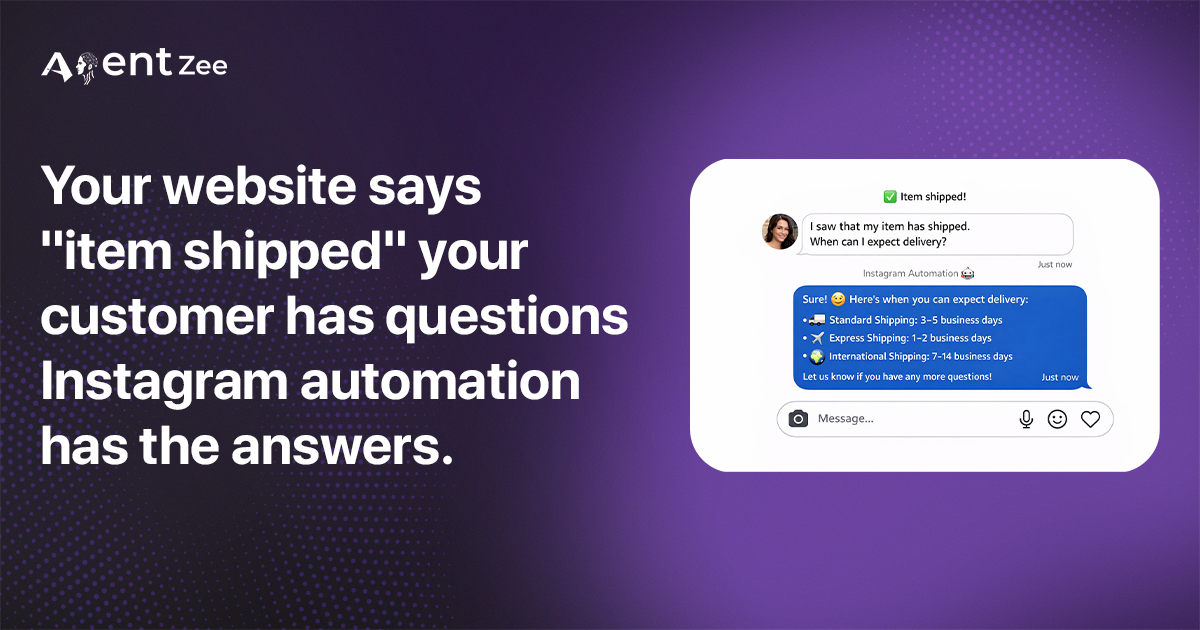
Let’s look at a problem before we understand how Instagram automation is used effectively.
Madhu saw a handmade engraved statue on Instagram. She loved the intricate design patterns on the statue. She clicked the product link in the bio and went to the product page of the website, filled in the delivery address, and placed the order. The estimated delivery was showing within four days from the product order date.
Four days later, she went back to the website to check the order status.
It was showing “Item shipped”. That’s it. No tracking number. No courier name. And the estimated delivery date was still showing four days.
It’s the order tracking version of “I’m on the way” sent from sitting on the couch.
She looked for a number to call, but it wasn’t available. She looked for a live chat support, but it was also not available. so went back to the Instagram page and sent a DM.
“Hey, can you please check my order status?”
But the reply never came. Her DM was buried inside a lot of unread DMs. She waited three more days. No reply. No update on the website. No product delivered.
Frustrated, she went back to the product page, gave one star to the product, and posted about it in her story, which was viewed by 5000+ followers.
One unanswered DM. That’s all it took.
But with an Instagram automation chatbot, the store would have ended differently.
The customer would have received instant replies with the detailed order status information.
The problem: order status isn’t the same as the answer
There is a huge difference between the status update and the actual information.
“Item shipped” is a status, but Madhu wants an answer like
“Which courier company used to send the product?”
“Where is it right now?
“When will it arrive?”
That answer existed in the system, but the website was built to show a progress bar: order confirmed → Item shipped → In transit → Delivered. completely unhelpful if the progress bar doesn’t update for days.
No phone support. No live chat support. No DM response. Nothing.
So the customer went to Instagram and sent a DM, but it was buried under the unread messages.
Instagram Automation was built precisely for this gap.
The answer already lives on the website, but the question comes through Instagram, and nothing connects them. That’s the core problem without Instagram automation.
The solution: Make Instagram DMs a live window into your website
The problem was not a lack of data. Your website has all the detailed information like tracking number, courier name, and where the package is currently, but stored in the backend. The real problem? Customers can’t access it. Instead, the website only shows the stripped-down progress bar and offers no more option to ask for more help.
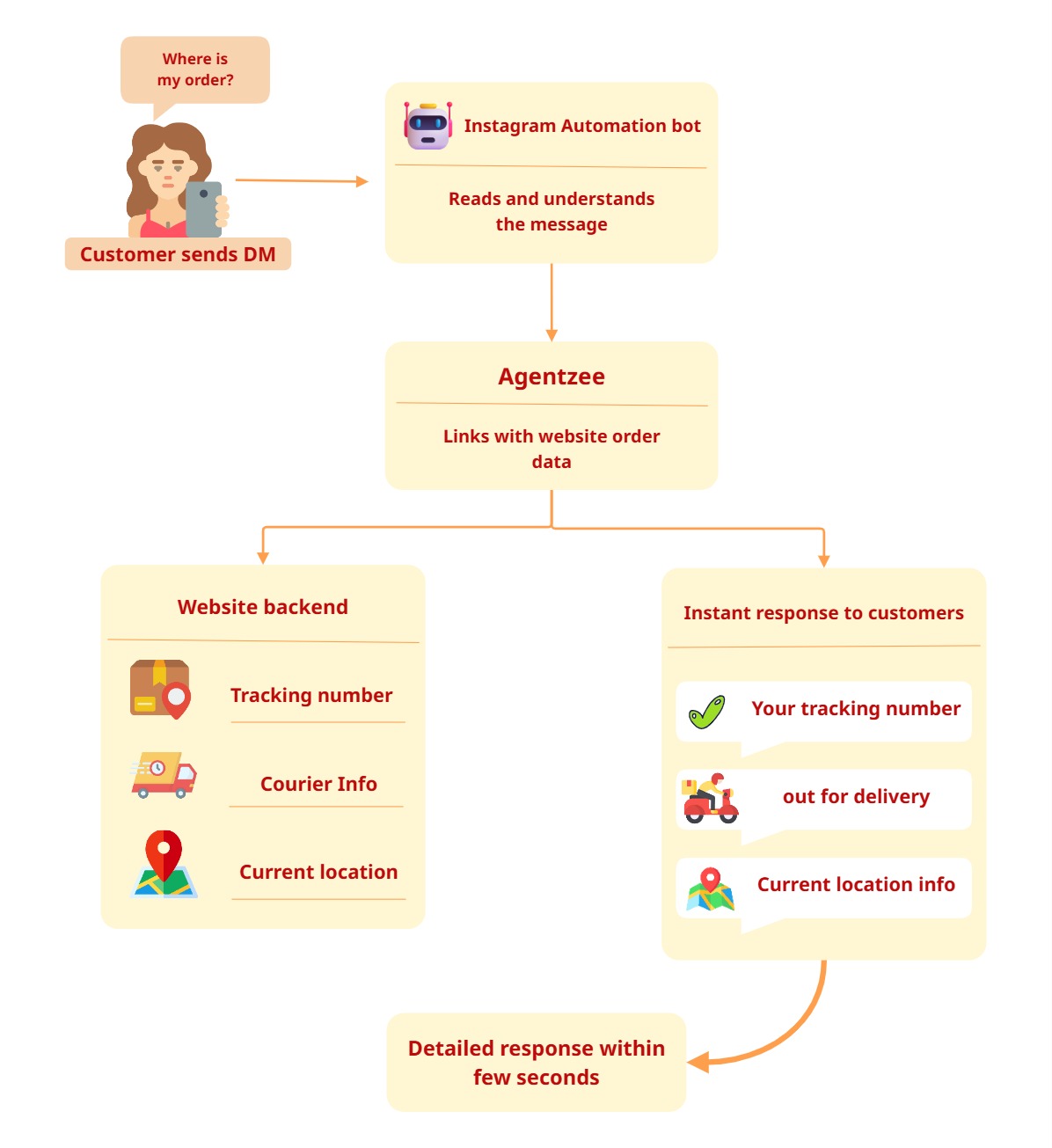
Agentzee fixes this by connecting your Instagram business page directly to your website order data. When a customer sends a DM and asks about order status, the Instagram automation bot will read the message, identify what they are asking, fetch the real time order data from the website, and respond with detailed information.
This is not a common Instagram automation chatbot that responds like
“We received your query and will get back to you in the coming days.”
This Instagram automation bot pulls the live information from the website and delivers it to the customers before they even put their phones down.
The answer lives on the website. Agentzee makes sure you can access it by connecting to the Instagram business page.
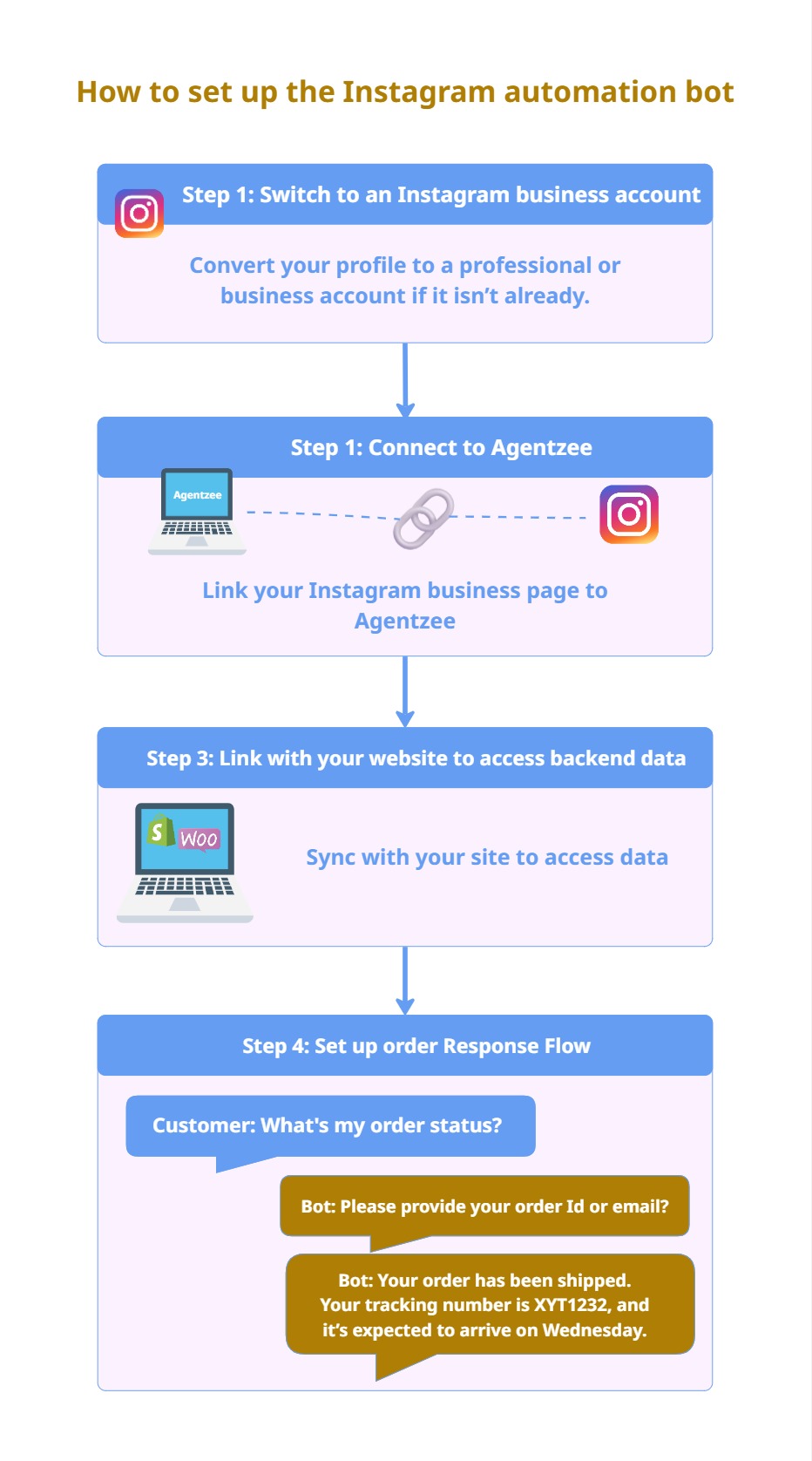
How to set up the Instagram automation bot
Step 1: Make sure you have an Instagram business account
Before any Instagram automation is possible, your page needs to be an Instagram business/professional account, not a personal one. This business/professional account helps us to explore API access from the meta. Which is how Agentzee sends messages on your behalf. If you have a creator account, that will work too, but a business/professional account is recommended.
For switching to a professional/business account, you need to simply open your
Instagram settings → account types and tools → switch to professional account.
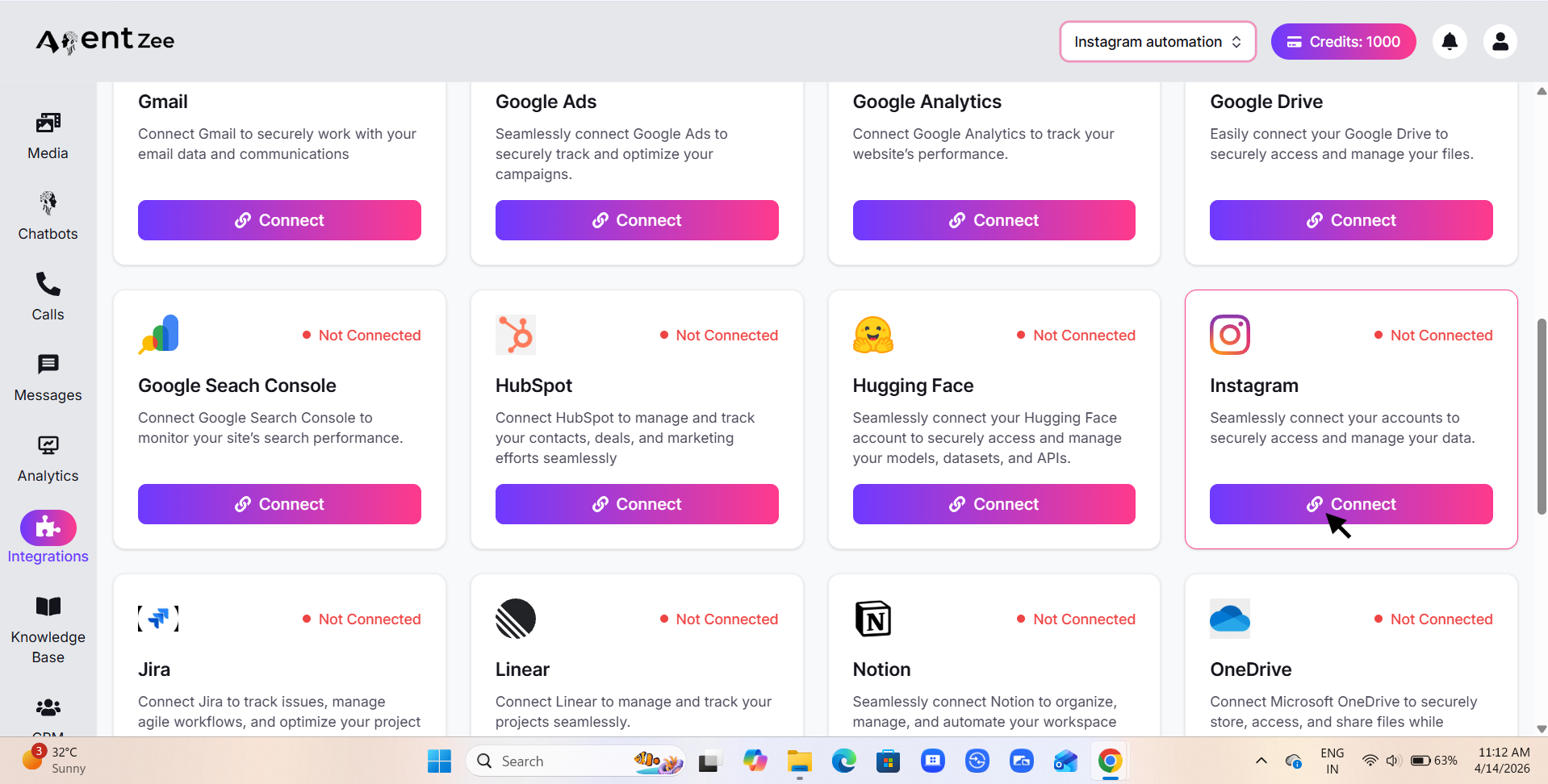
Step 2: Connect your Instagram business page to Agentzee
Log in to Agentzee and link your Instagram business page. This platform uses official meta integrations. No scraping, no workarounds. Once connected, Agentzee can read the incoming messages and send the reply automatically.
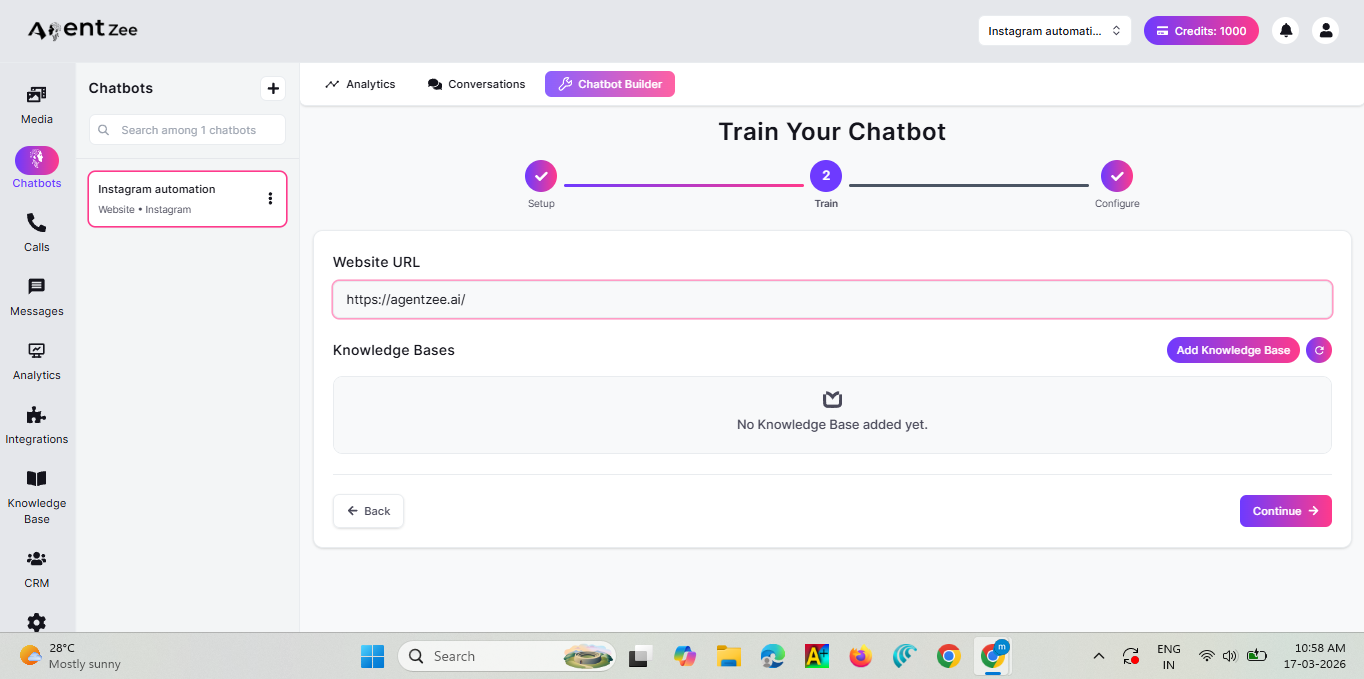
Step 3: Connect your website to the knowledge base
This is the important step, and where the actual data lives. Agentzee connects to your website’s backend. whether that’s Shopify, WooCommerce, or a custom built website. It pulls the real-time data and answers the customer’s question with detailed information.
This is the bridge that the website doesn’t have. An Instagram automation bot fetches the real-time order data from the website within a few seconds.
Step 4: Design the order status response flow
For order status queries specifically, the flow of the Instagram automation bot works like this:
The customers DM their order query. The Agentzee bot asks for the order ID or the website registered email address. Once the customer gives their ID or email address, then the bot will fetch the current status of the order and reply with the courier name, the tracking link, and the expected delivery date.
Not “We’ll look into this” or “We’ll get back to you soon”. It will reply back in a few seconds with the real time data.
Delivery FAQs
Does this work with Shopify and WooCommerce?
Yes. Agentzee connects to Shopify, WooCommerce or a custom-built website, so the bot can read live order data and reply inside the Instagram DM.
What does a customer need to share to track an order?
Only the order ID or the email address they used on your website. The bot uses it to fetch the courier name, the tracking link and the expected delivery date.
Do I need an Instagram business account?
Yes. You need a business or professional account to use Meta’s messaging API. Creator accounts also work, but a business account is recommended.
Is this allowed by Instagram?
Yes. Agentzee uses Meta’s official integrations. There is no scraping and no workaround, so your account stays safe.
What if the bot can’t answer a delivery question?
For problems it can’t solve, such as a damaged parcel or a refund request, the conversation can be handed to your team so the customer still gets a human reply.
Conclusion
“What’s my order status?” is the most common question a customer can ask. The data already exists on the website but the customer wants detailed information. So they sent DM to you on Instagram, but the Instagram and the website are not connected to each other. So they try calling, but no phone support. They looked for live chat support, but it was not available.
That’s where Instagram automation comes in. With the help of Agentzee, Instagram bridges the gap between your customers and the website data. It doesn’t just replace your manual reply team. It stops your team from spending their day sending replies to the DM by automating the bot to reply within a few seconds.
The successful brands on Instagram don’t just post great content. They’re posting fast and, most importantly, reply to the customers instantly and consistently with the help of Instagram automation.
If you are ready to connect your Instagram page to your website and provide customers with the right information they need. Agentzee is the place to start. No development needed, no complex workflow. Just simply integrate your Instagram business page with your website in the Agentzee platform and let it take care of the rest.
Please check out our product