
AI bot handoff to human via video call
Escalate conversations from AI chatbot to you or your team instantly via video calls for faster and more personal interaction
Multi-device support
Smart escalation triggers
Instant video call handoff
Face-to-face customer interaction
Seamless AI to human switch
Real-time agent availability
How AI to human video handoff works
Move from chatbot to live video support in seconds

Customer starts conversation
A customer initiates a chat with your AI chatbot on your website.

AI handles initial queries
The AI chatbot responds instantly, answers questions, and gathers user intent.

Understand user intent or frustration
AI understands user frustration or complex intent in real-time and prepares for escalation.

Offer video call option
The chatbot suggests switching to a human and displays a video call option inside the chat.

Notify support team instantly
The support team receives instant alerts via dashboard, email, or WhatsApp.

Human joins video call
A human accepts the request and joins the video call to assist the customer face-to-face.

Resolve and continue
The agent resolves the issue and the conversation can continue with AI if needed.
Deliver premium support with video interactions
Enhance customer trust and conversion with real-time video communication powered by AI.
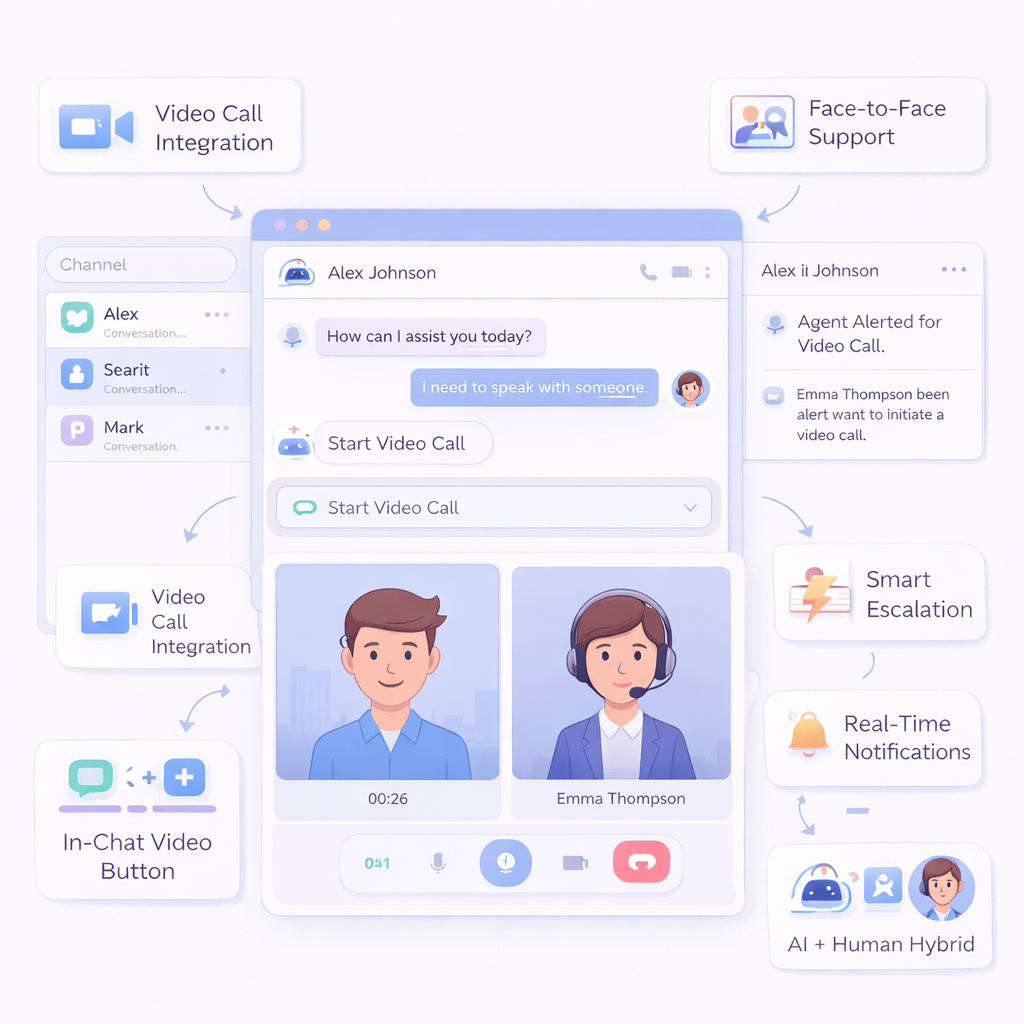
AI + Human Hybrid Support
Combine AI automation with human interaction for complete support coverage.
Real-Time Notifications
Notify agents instantly when a user requests video support.
Face-to-Face Support
Build trust and improve engagement with real-time visual interaction.
Smart Escalation
Trigger video handoff automatically based on user intent or conversation complexity.
Video Call Integration
Connect customers with human agents instantly via video calls.
In-Chat Video Button
Offer video call options directly inside the chatbot interface.
Frequently Asked Questions
When should video handoff be used?
It is ideal for high-value customers, demos, onboarding, or complex support cases.
Do I need coding skills?
No, everything can be configured using a no-code interface.
Is chat history available?
Yes, agents can see full conversation context before joining the video call.
Do users need to install anything?
No, video calls can be initiated directly from the browser or mobile device.
What is AI video handoff?
AI video handoff allows chatbot conversations to be escalated to human agents via video calls.
Can this work on mobile?
Yes, video handoff works seamlessly across mobile and desktop devices.