
Are you an influencer or running a business via Instagram? You spend hours making a video and editing and then publish it with popular hashtags. Posts are getting comments. After that… it stopped. The Instagram algorithm stops pushing your post. By the time you notice, after a few hours of posting, you have more comments.
That’s not bad luck. The Instagram algorithm is doing the thing exactly that’s designed for. And there’s no mistake in your content. It’s a response timing problem. Instagram measures engagement based on how fast a post creates conversation after posting it. An algorithm watches all your posts’ comments, likes, and DMs. If it drops after 50 to 60 minutes, then the impression and reach become low.
The Instagram AI chatbot for your business automates your workflow, but most businesses haven’t tried it yet. In this blog, we’ll see why your posts’ engagement drops after a few comments and how Instagram chatbot automation helps to retain your reach and impressions like an Instagram engagement bot.
Why does your Instagram engagement die so fast?
Do you think low engagement means bad content? No. Sometimes people think like this and revamp their strategies, swap fonts, and try new video formats. It sounds good, but still engagement stays the same. And they weren’t aware that Instagram not only measures the comments your posts or reels get, but it also measures how fast the conversations move on them.
An Instagram algorithm reads the conversation as an active and engaging post when someone comments on your post and gets a quick reply, either manually or from Instagram chatbot automation. High engagement brings high reach. If the comments are unseen for hours, the algorithm treats them as low engagement quality and stops pushing them to new people.
The first 30 to 60 minutes after posting is crucial. It is the peak time of engagement velocity, but most people didn’t notice it. The final result? The post has reached only 1,200 instead of 10,000, but it’s not because of the content quality all the time. It happened because no one responded quickly. An Instagram AI chatbot for your business can do this for you.
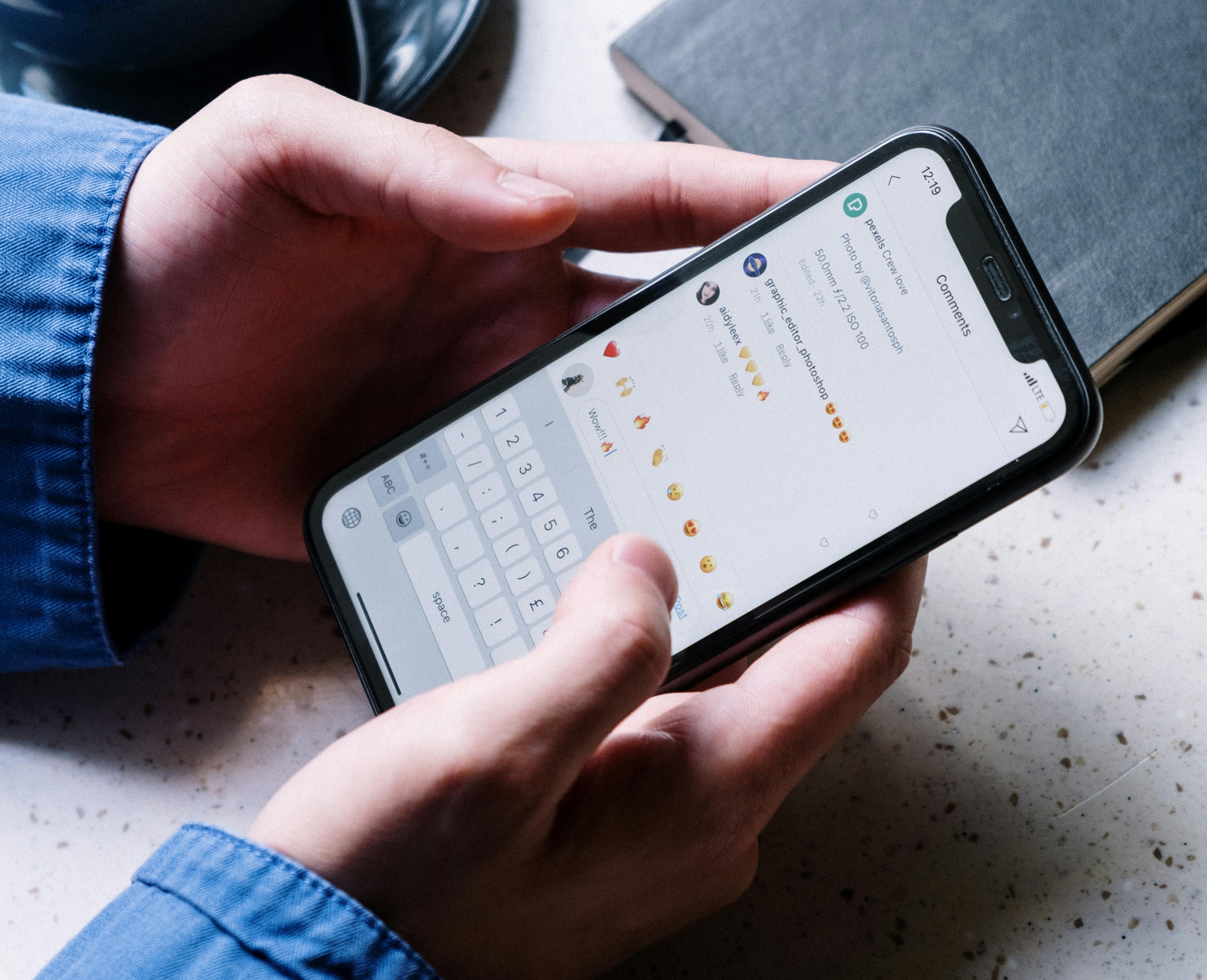
How Instagram chatbot automation fixes engagement
Without engagement, your posts didn’t get reach or impressions. But as a human, you can’t watch your posts’ comments. all day without sleep. Here, the Instagram AI chatbot helps with your business growth. And it is trustworthy. The tools available on the Instagram chatbot automation use the built-in Meta APIs. This does not make it clear that it’s a bot because it responds to real interactions in real time.
This Instagram engagement bot acts as a 24/7 assistant for your Instagram business account. Our Agentzee helps you to make this simple. This AI chatbot handles DM messages about your product or anything general and automatically triggers a comment. Without your involvement, your Instagram account starts responding like a business that’s always switched on.
Here’s why to choose Agentzee:
DMs get an auto reply - when someone sends a personal DM, and you see it after hours, you may miss a quality lead for your business
Auto reply to comments - with the brand or your content knowledge, it will respond to the comments
FAQ answers automatically - Before you see the message, the Instagram AI chatbot for your business responds to all basic questions.
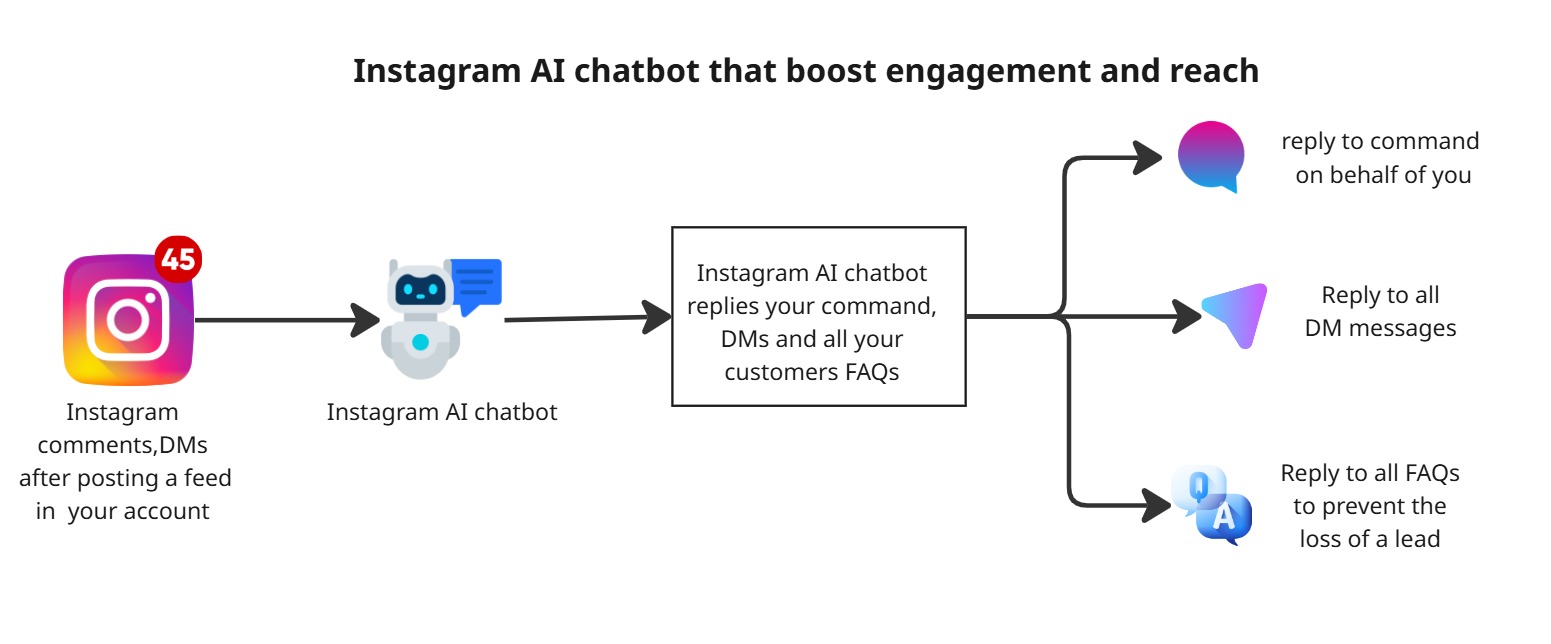
Old way: Posting on Instagram → Get a few comments → reply took a long time → drops reach
New way: Connecting your account to Agentzee → Create a bot → Post on Instagram → Get a few comments → Instagram AI chatbot replies in seconds → Instagram algorithm
How to create an Instagram AI chatbot for your business automation in Agentzee
Agentzee is here for your convenience. You don’t need to write even a single line of code, just connect your Instagram account and mobile number to the chatbot. Instantly, your chatbot is created and takes over the work you assign via prompt. Let’s see the process.
1. Define what your bot is going to do before deployment
Before you build an Instagram engagement bot, clearly define your outcome. That means clear data to understand the chatbot. And plan the Instagram AI chatbot automation. Do you want people to book a call for your business? Download resources like documents or PDFs? Get a discount code? Visit the product page? Get a product link? Every automation flow should lead to one specific action.
Without this detailed plan, you’ll build your automation flow that feels random and doesn’t convert. So, before building a bot, prepare a knowledge base, like a huge and detailed dataset, to train your bot. It needs your business website URL to understand your products. So it replies to meaningful commands.
2. Open Agentzee and start to create a chatbot.
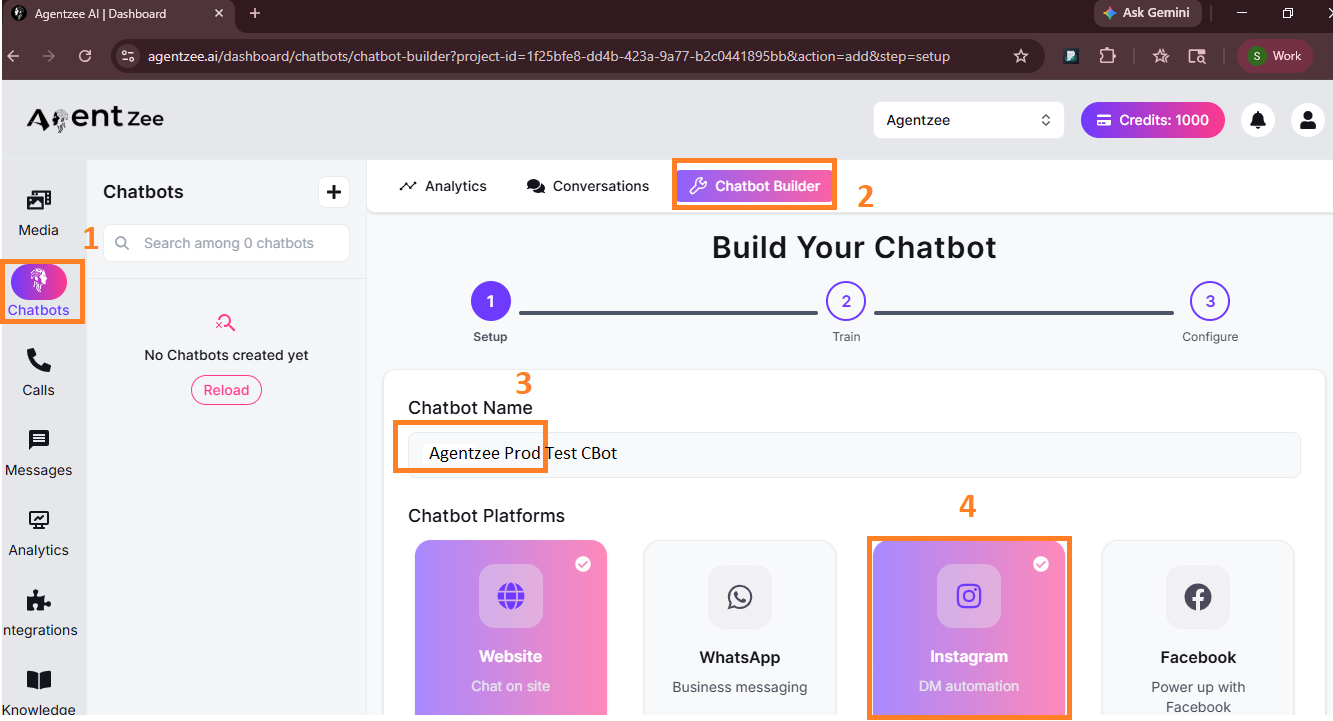
Open Agentzee dashboard → Chatbot → Chatbot Builder
Always use a platform that’s officially approved by Meta for this kind of automation. Because a scraping tool could get your account flagged. Our Agentzee operates within Instagram’s official APIs. And it is reviewed by the Meta team. For businesses that want Instagram automation as part of a wider system, that’s a meaningful advantage of Agentzee. You can manage comments, DMs and other channels from one dashboard.
Note: For this, you need a business Facebook account that is connected to a business Instagram account
1. Name your chatbot first and then choose Instagram. The website will be enabled as the default. That doesn’t affect your Instagram AI chatbot for your business.
2. Then add a custom prompt based on your need. It will act as an instruction for your bot. A default prompt appears when you click the chatbot description template. You can customise it.
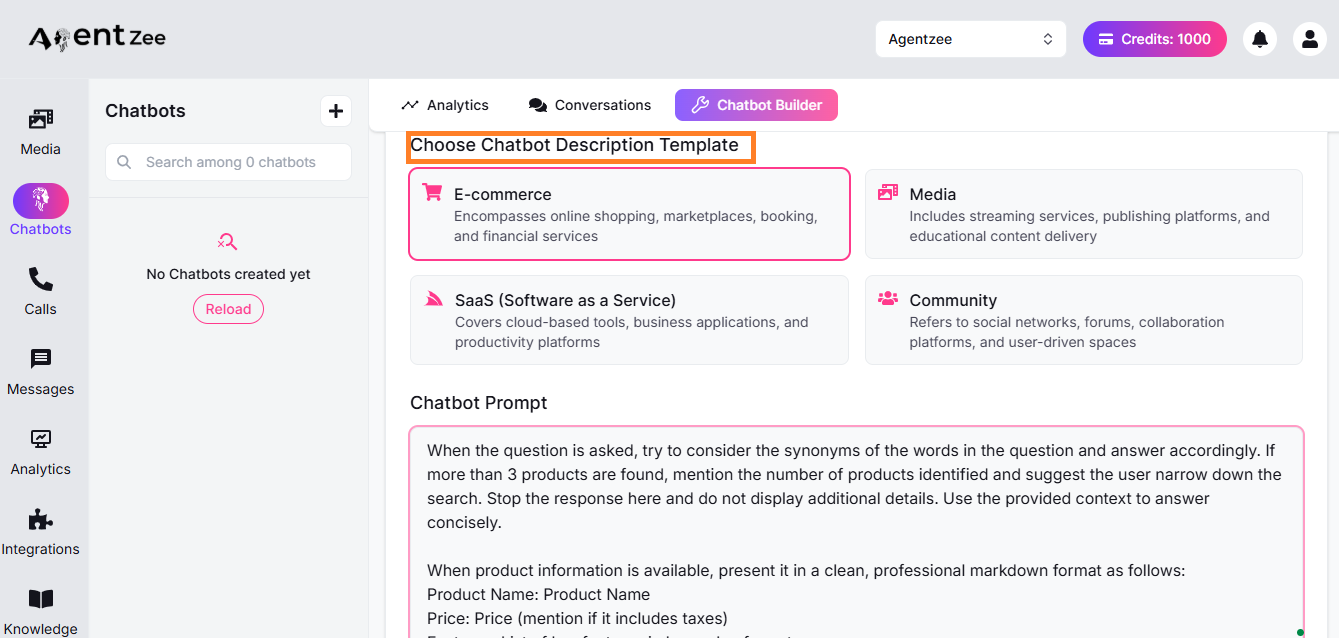
3. Choose the gender type of your bot and click “Continue.”
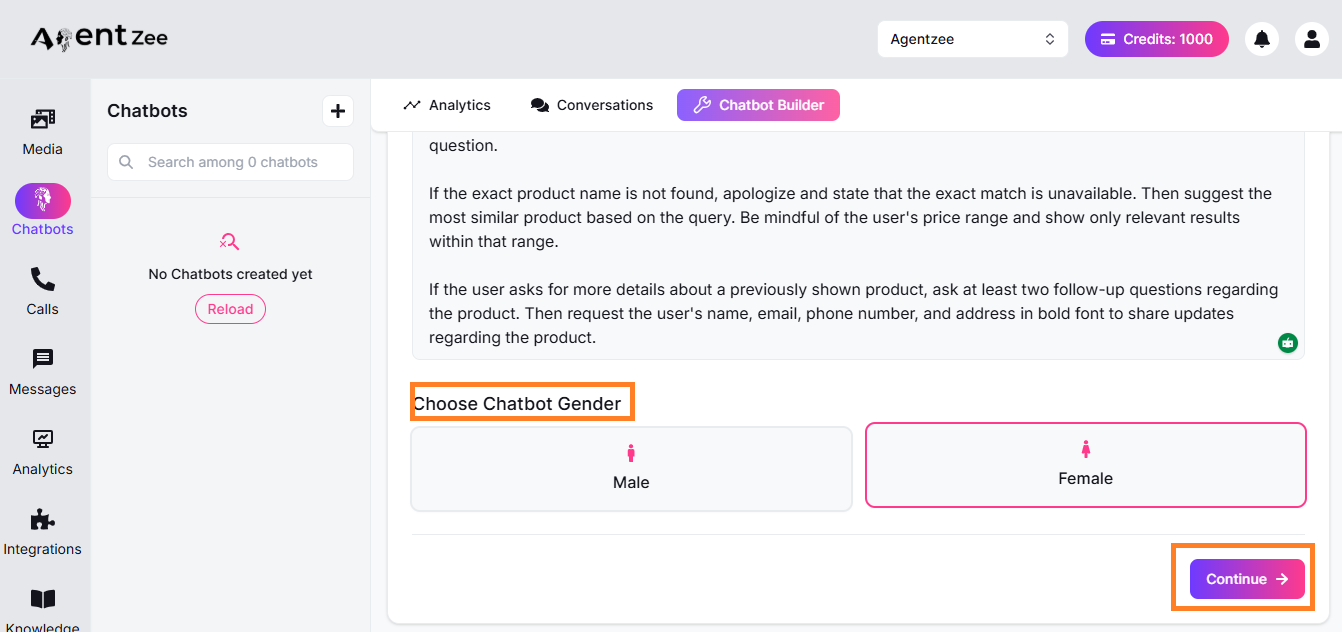
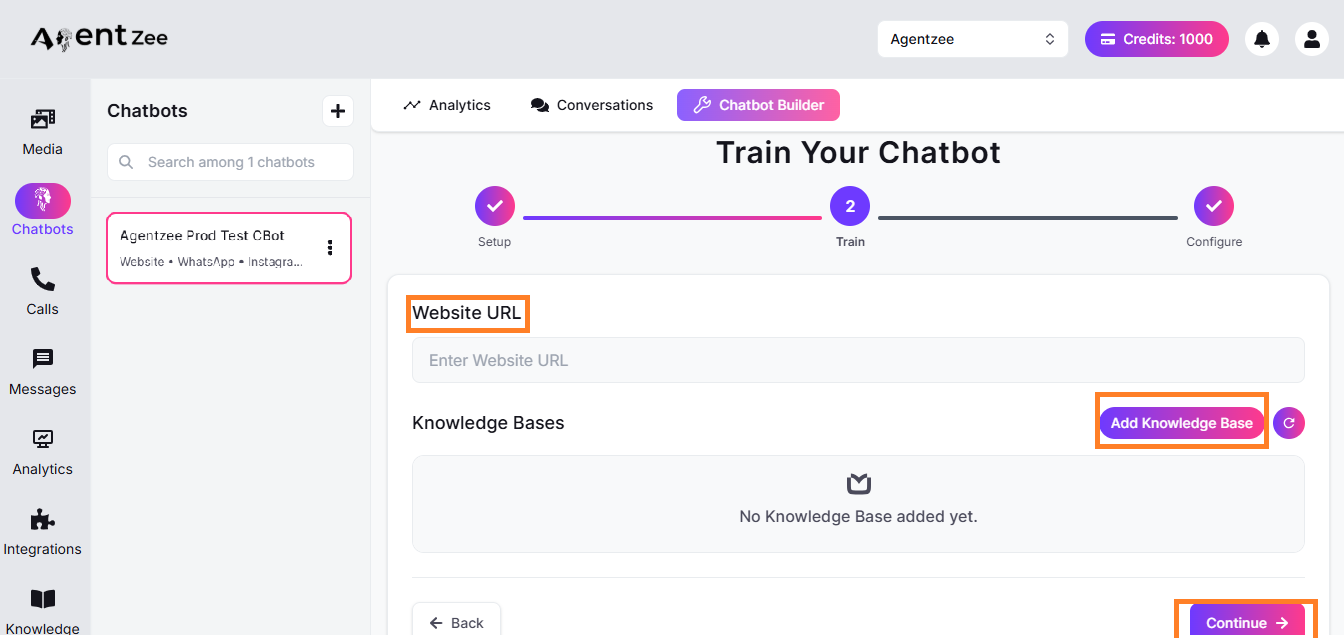
4. Paste your business website URL, and if you have a knowledge base, then add it. Then click “Continue.”
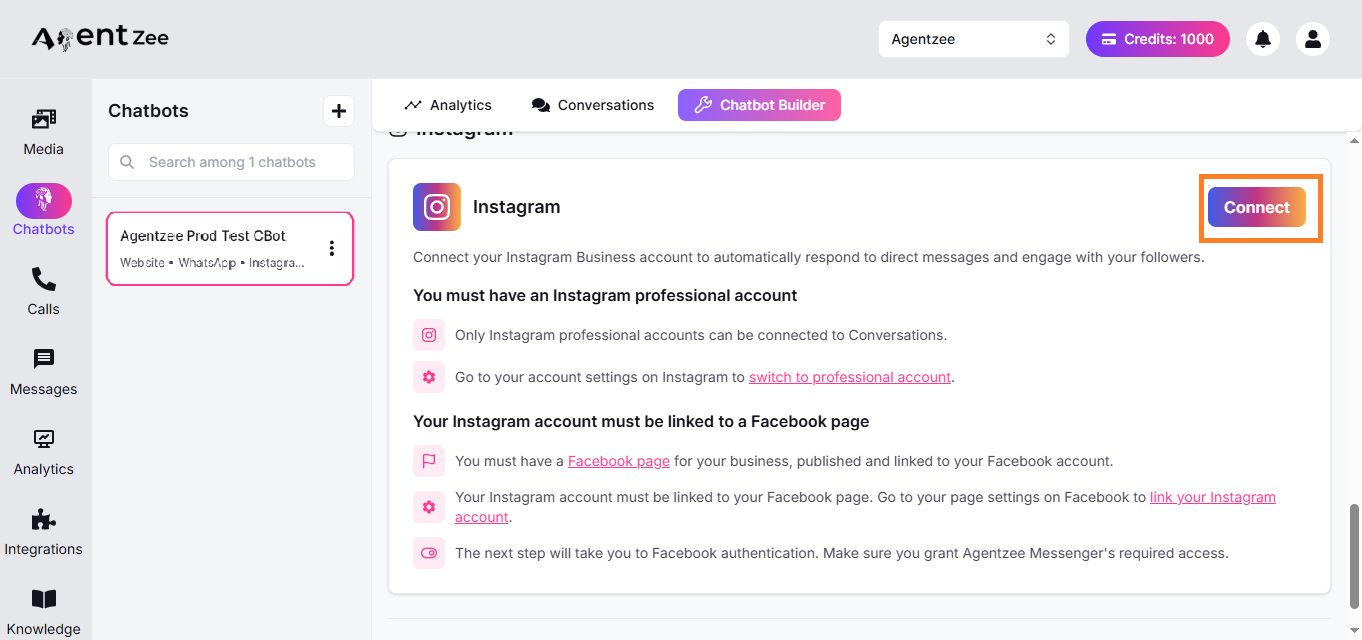
5. Connect your Instagram business account that needs an Instagram AI chatbot automation. In this process, it will ask for an Instagram page. Choose the correct page on which to build a chatbot.
6. After connecting, it asks for the pages you want to connect. Just select pages. Then click “Connect as <your account name>.”
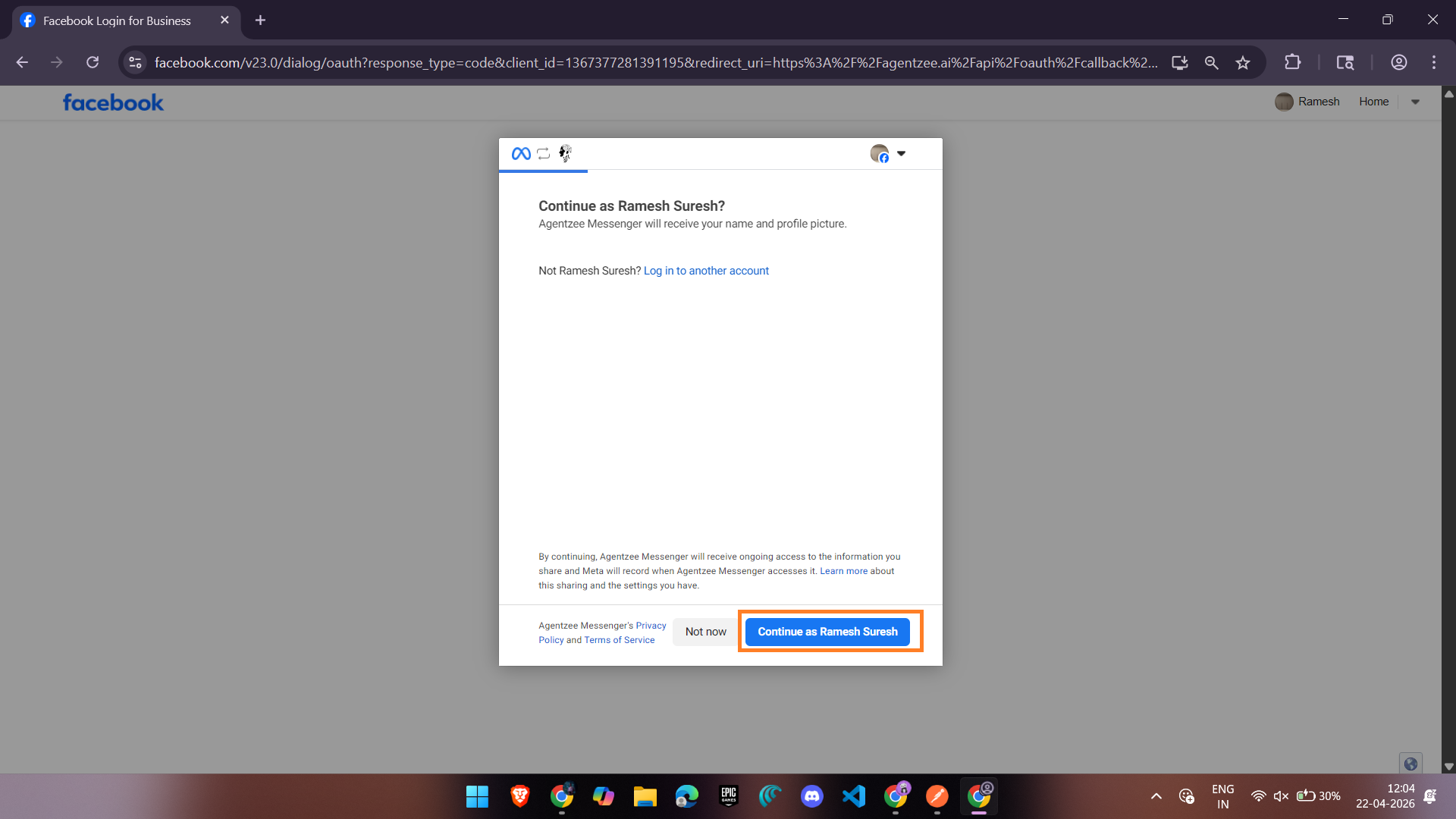
7. After all processes, it redirects to the Agentzee page and asks to connect and click the button.
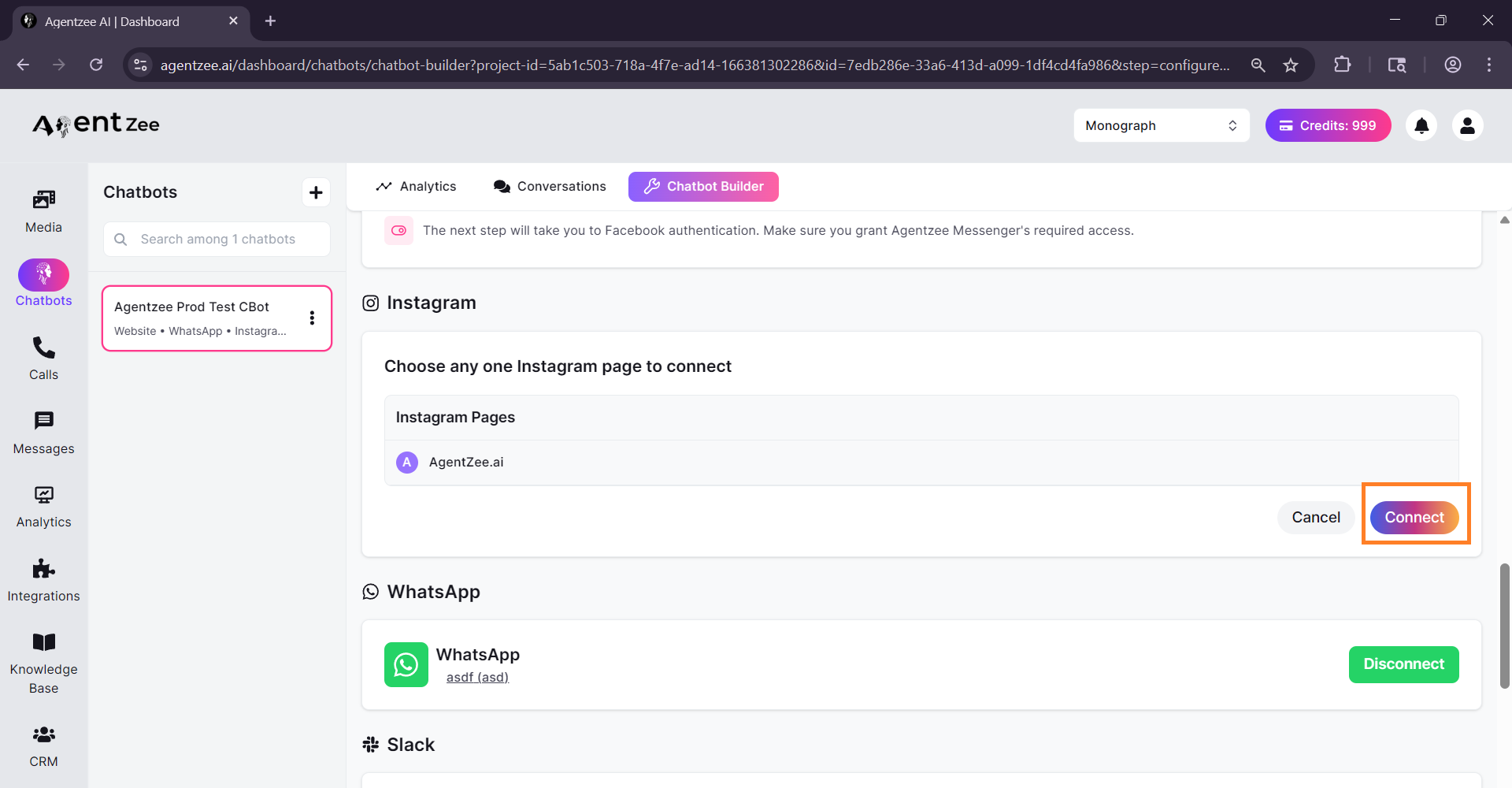
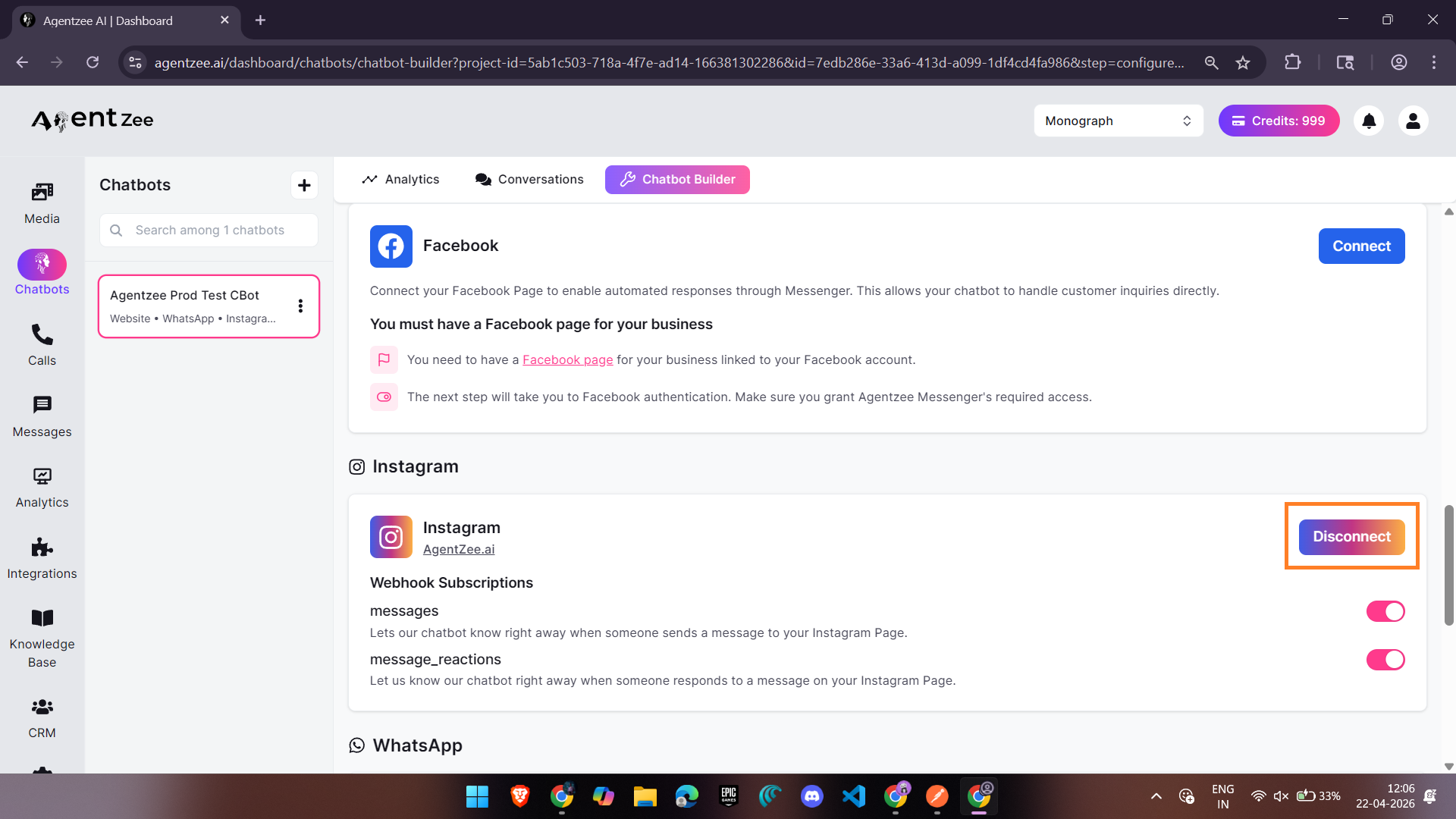
Finally, your Instagram AI chatbot is connected to your business Instagram account. Then it handles all DMs and enquiries about your products and collects leads.
Conclusion
If your Instagram account engagement has been declining and you can’t figure it out. Response speed is almost always a part of the answer. The algorithm pushes your account to the new users only if the conversations are moving. If it’s not, then your reach or impressions may be lost.
Let’s start your journey with Agentzee. This Instagram automation helps you reply instantly to your comments and DMs on your Instagram account, keep engagement alive, and turn your comment section into a lead-generating channel.
To know more about the Instagram AI chatbot for your business, refer to this blog