
The real problem you didn’t notice
For your business website, you may have a Google Analytics account. It’s used to track the details of your website, like traffic, engagement, visitor details, etc. It’s a Monday morning, and you noticed there was 43% traffic. It’s 15% higher than yesterday. That’s looking good for a few minutes. After some time, there is a bounce rate in your pages.
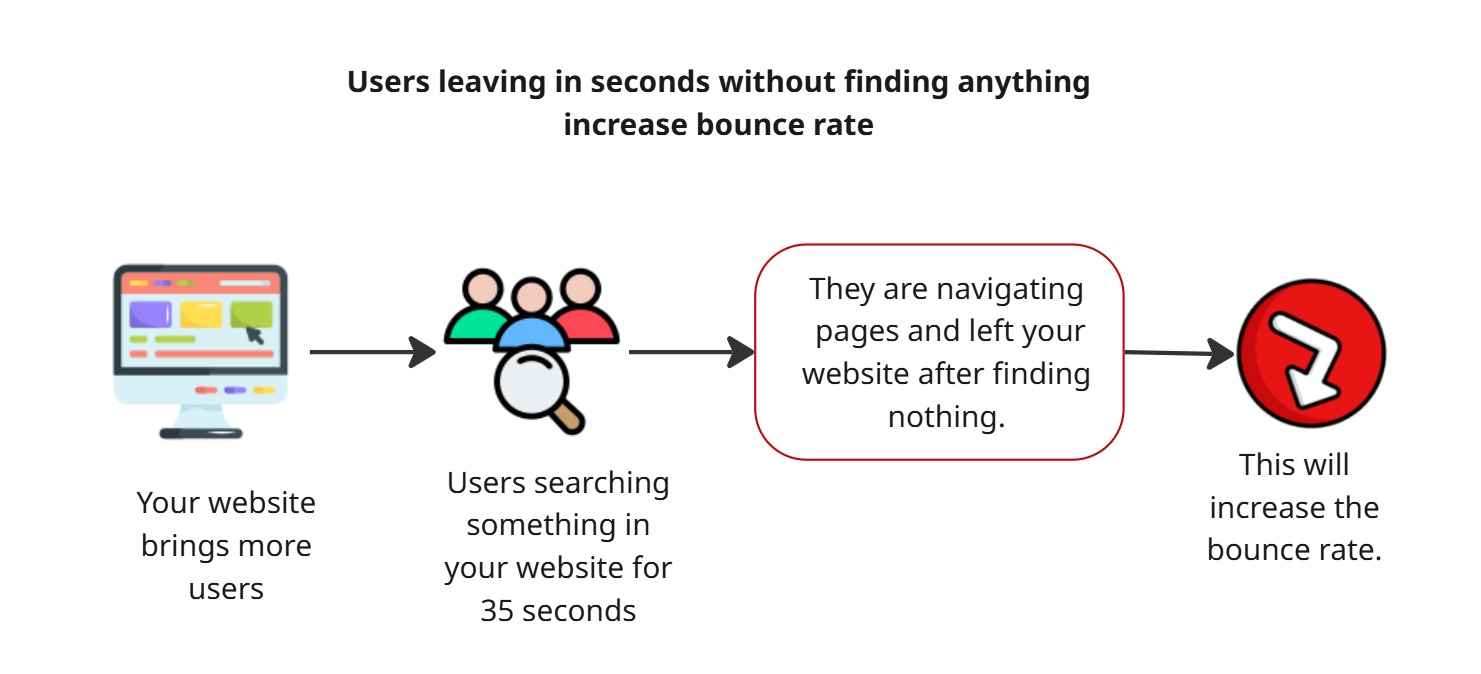
70 users are currently visiting your site and some of them leave in a few seconds. The Average session duration of your website is 1 minute and 30 seconds. It’s not a good value. If the average session duration is low, then the bounce rate will be high. That means visitors open your website and leave without searching for anything.
It’s like a customer enters a mall and leaves the mall immediately before buying anything when there are no salespeople. Most of the businesses think it’s a finish line but they aren’t aware that it’s crucial. Bringing more traffic is not easy. Even if your site has traffic, people bounce back to another site. Because whoever doesn’t find something they want in 30 seconds will find it somewhere else.
To tackle this situation, website AI chatbots help you. Let’s see how it can be helpful to improve your website’s health.
Find the reason why visitors leave.
Most of the business people think the problem for a high bounce rate is bad landing page designs and slow load times. Sometimes it may be the reason, but the pain problem is that “there is no one to guide them about your website.”
Picture this: there is a big supermarket. When a person enters and searches for the products they intend to buy. At the time, a salesperson noticed them and asked a question like what they wanted to buy and which brand, and sometimes they suggested good brands. They point the customers in the right direction, and they cut the gap between “browsing” and “buying.”
Like this, you don’t have a salesperson for your website. And you can’t hire any person😅. For this, a website AI chatbot is available 24/7. It’s trained on your products and handles dozens of conversations without breaking. It will answer all the questions about your site. The result is that visitors stay longer; they find the answer, and they increase retention.
How website AI chatbots help businesses
It’s not just a bot with listing numbers and options for performing actions. It creates natural conversation with the visitor. A website chatbot conversation makes the user interact and stay longer. A well-built website AI chatbot retains your customers, and it increases their spending time on your website and increases average session duration.
What AI chatbot do on your website
It greets visitors - Initially, it greets visitors to choose your website
It answers questions instantly - We loaded our product details and website information. Instantly, it answers visitors’ relevant questions accordingly.
It recommends - If a visitor asks for some content, it recommends the pages and contents on your website.
It captures leads at the right moment - In between the conversations, it asks for user details and stores them in your DB.
Before: Before the AI chatbot users land on your blog’s page and search for some content, they are navigated through multiple blogs and left after 40 seconds.
After: An AI chatbot on your website greets them first and asks for questions about their needs. If they ask, “I need this type of blog,” then it shares the blog details if present. It reduces the users’ searching time and makes them interact.
Let’s see how to set up a website AI chatbot in Agentzee
To create a website AI chatbot, you need to work on the more technical part. But if you create and integrate through Agentzee you don’t need to write even a single line of code. Just add your website URL and add the knowledge base (added knowledge about your services and detailed descriptions about your products) for your chatbot.
Note: You should provide a valid and secure website URL. Double-check the provided details before creating a website AI chatbot for your website.
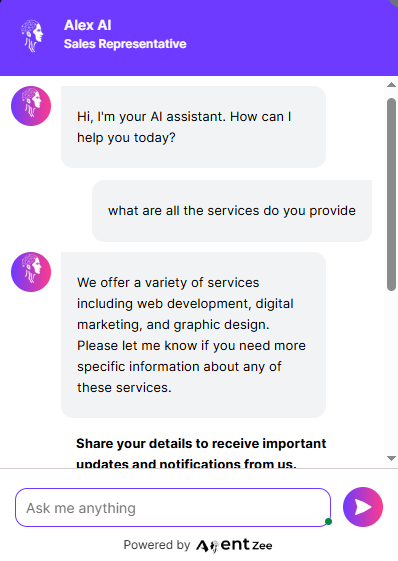
This is how your chatbot looks on your website. Its design, colours, and fonts are fully customizable.
Before the chatbot, analyzes where visitors are actually dropping off
Before building a website bot for business, understand where the problem arises. Look at the whole Google Analytics report for your website to find the pages with the highest bounce or exit rates. This is where the problem started. Visitors navigate to the page and immediately exit the page. This AI website chatbot interacts more with the user and builds trust, so it makes the visitor come back to our site to search for more content.
Maybe those pages were complex to understand, like pricing pages, product comparison pages, and long-form filling pages. These are the pages that need an AI chatbot to summarise the process. Don’t build the website AI chatbot for your homepage alone and call it done. The home page is just a starting line, and people don’t make decisions there. They make decisions on product pages, pricing pages, and comparison pages. So, create a bot for the overall website. Agentzee is doing the same.
Connecting a website chatbot for your business
To create a website AI chatbot for your business just follow the steps below.
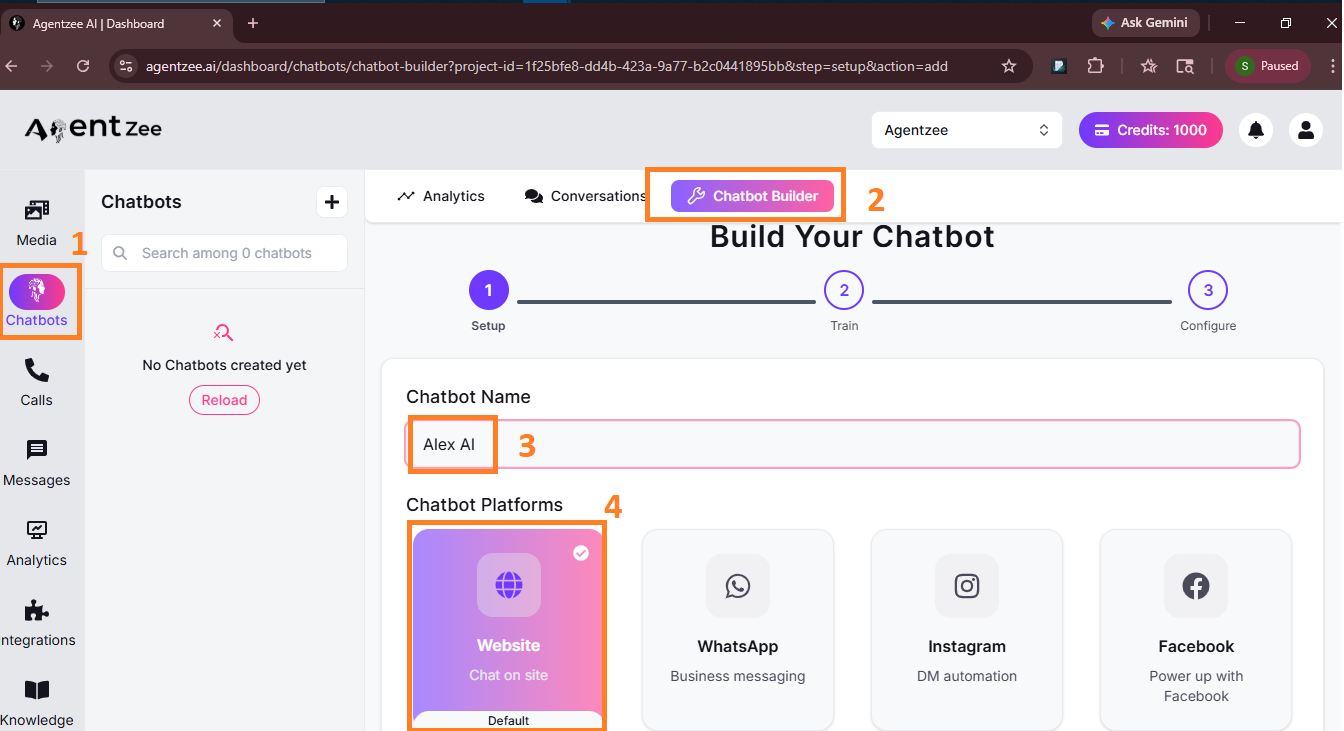
Step 1: Open the Agentzee website and name the chatbot
Open Agentzee → Dashboard → Chatbots → Chatbot Builder → Website chatbot selected by default. Name the website AI chatbot as you wish. It will be editable.
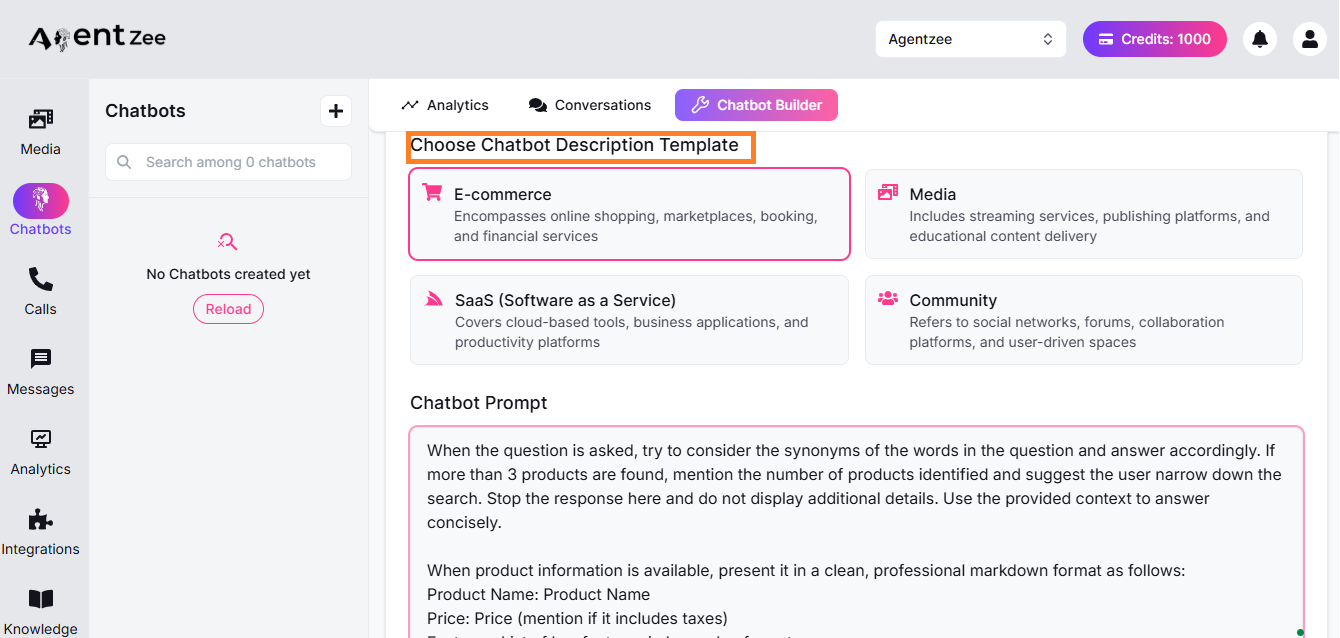
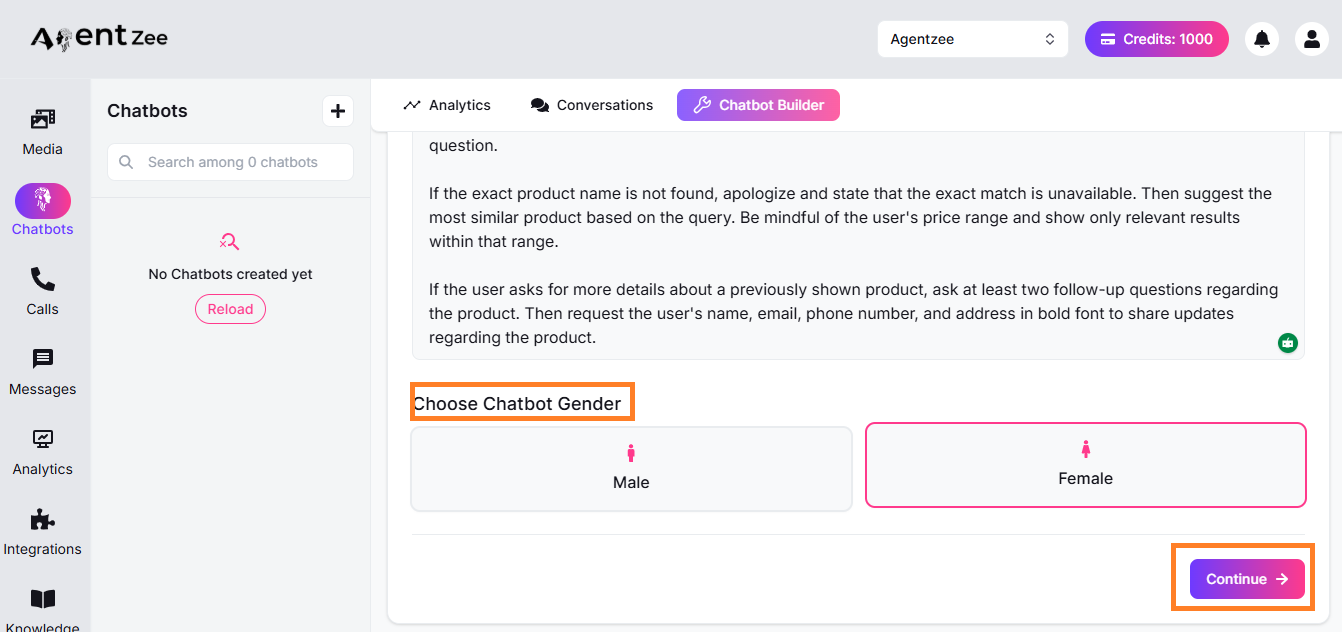
Step 2: Add custom prompt and gender data.
Add a chatbot description template and customise the prompt for your chatbot. and select a gender type based on the bot name you choose. A detailed prompt makes your bot’s work clear. And click the “Continue” button.
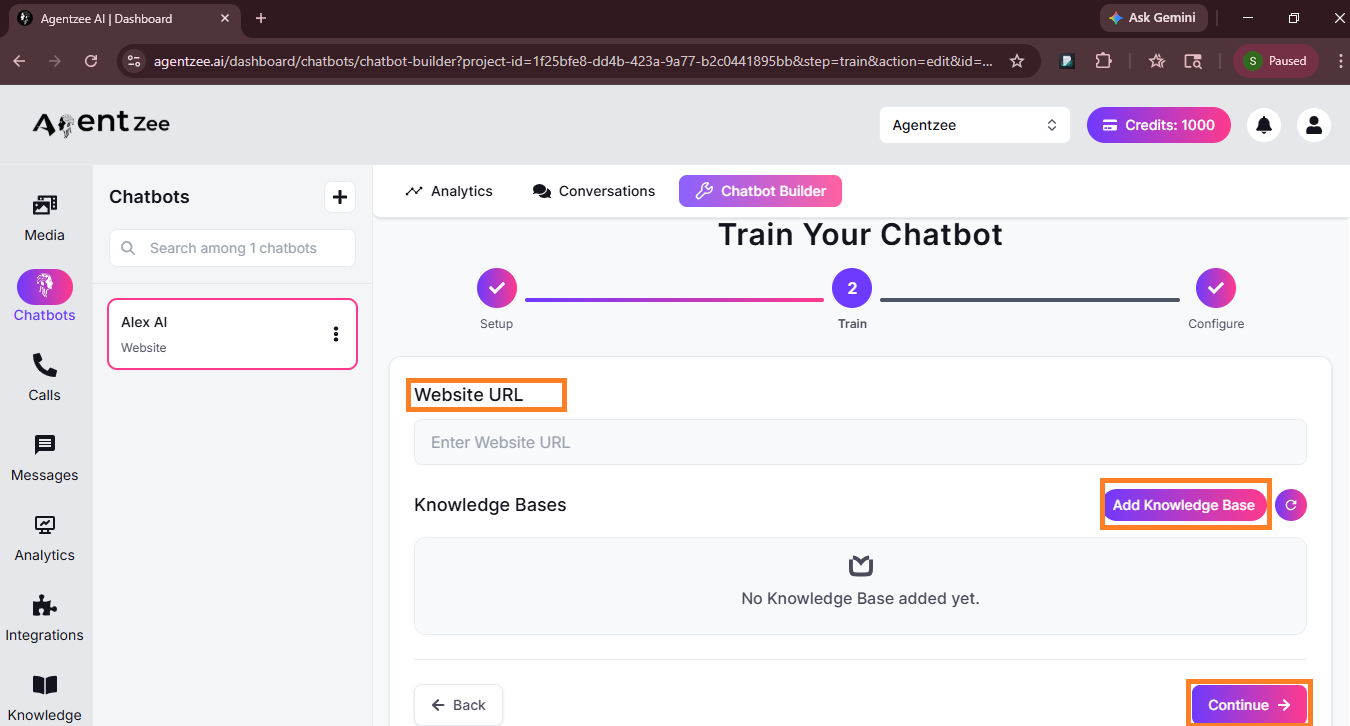
Step 3: Add website URL and others
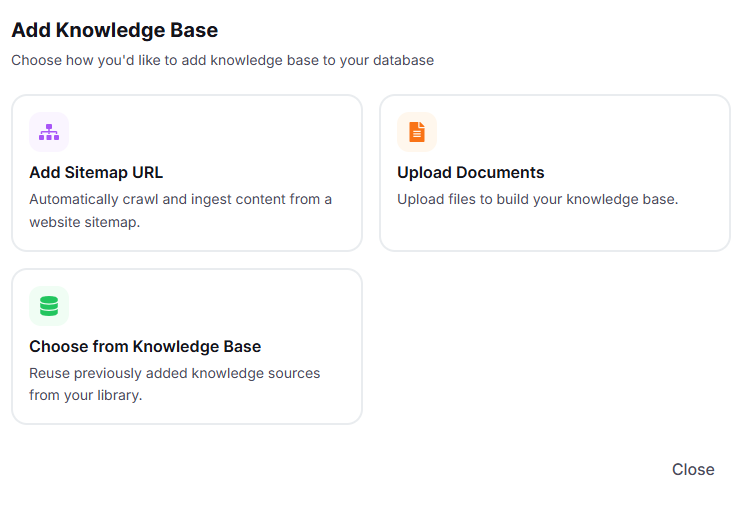
Add your valid website URL to which you need to create a website AI chat. And add knowledge bases (additional data about your website and product details).
You can add knowledge base data in the format below
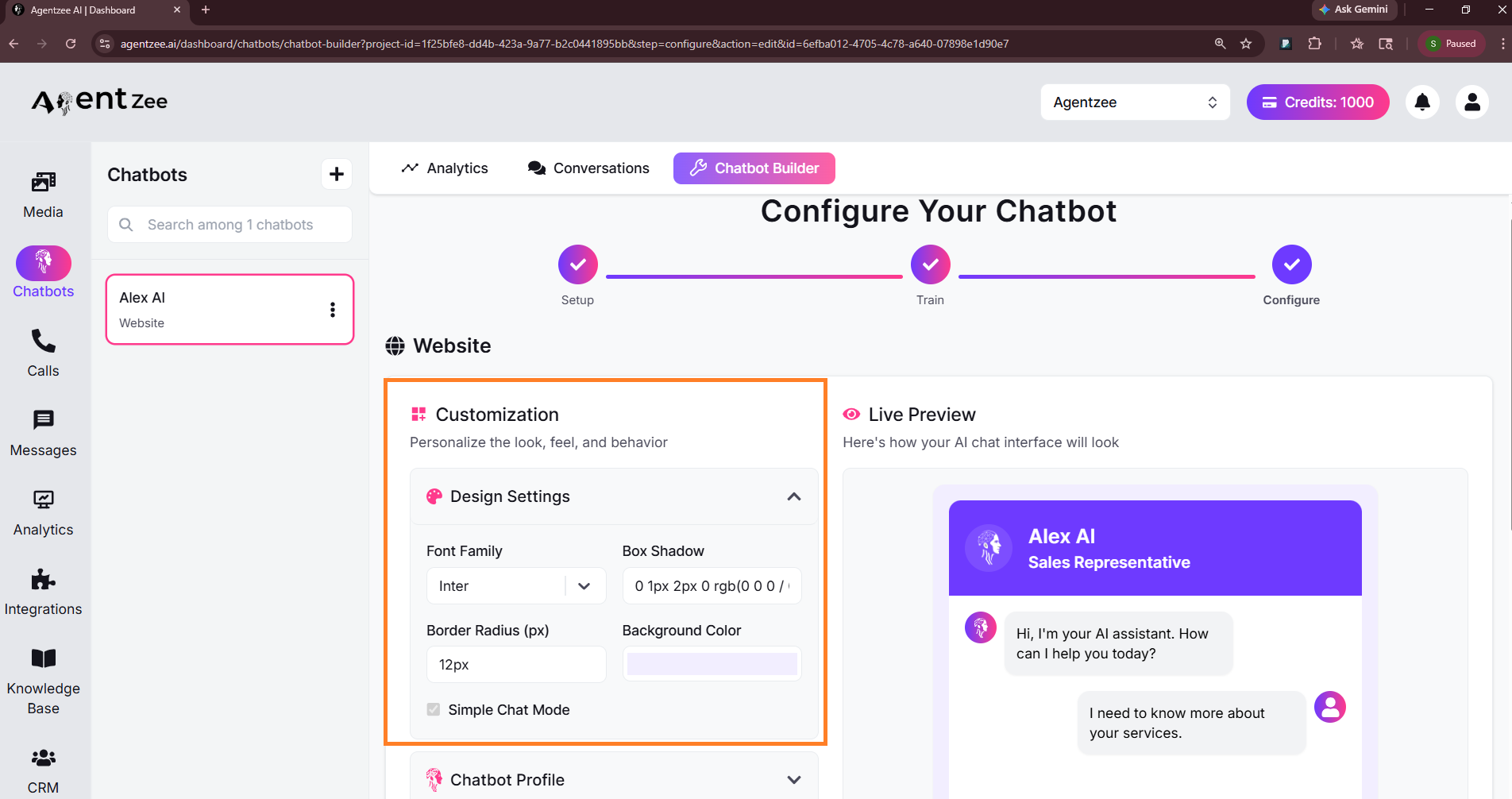
Step 4: Customise the website AI chatbot design
You can customise your bot design, and it will reflect in the live preview section.
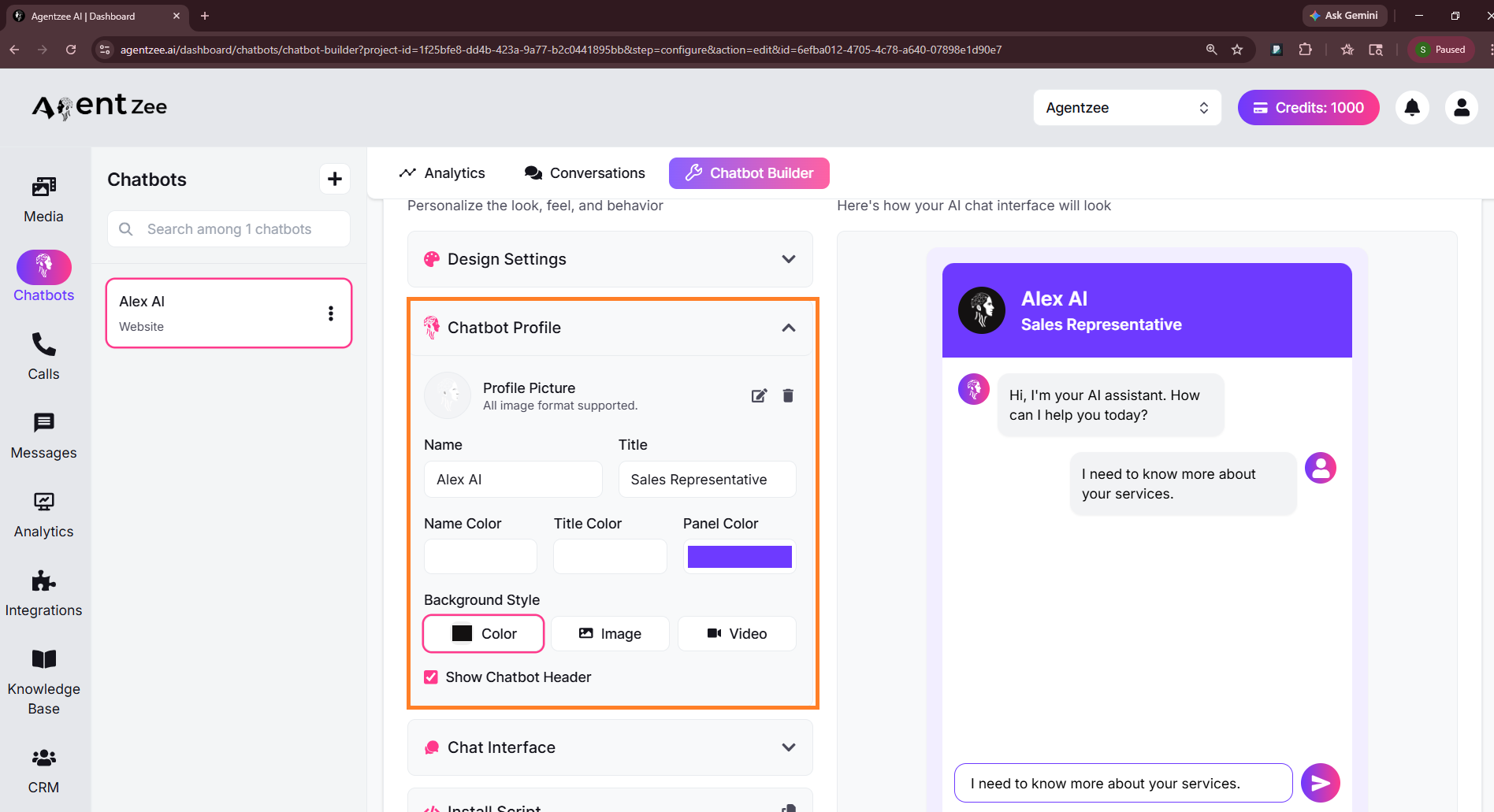
Step 5: Customise chatbot profile data
Here, the profile background colour has been changed to black.
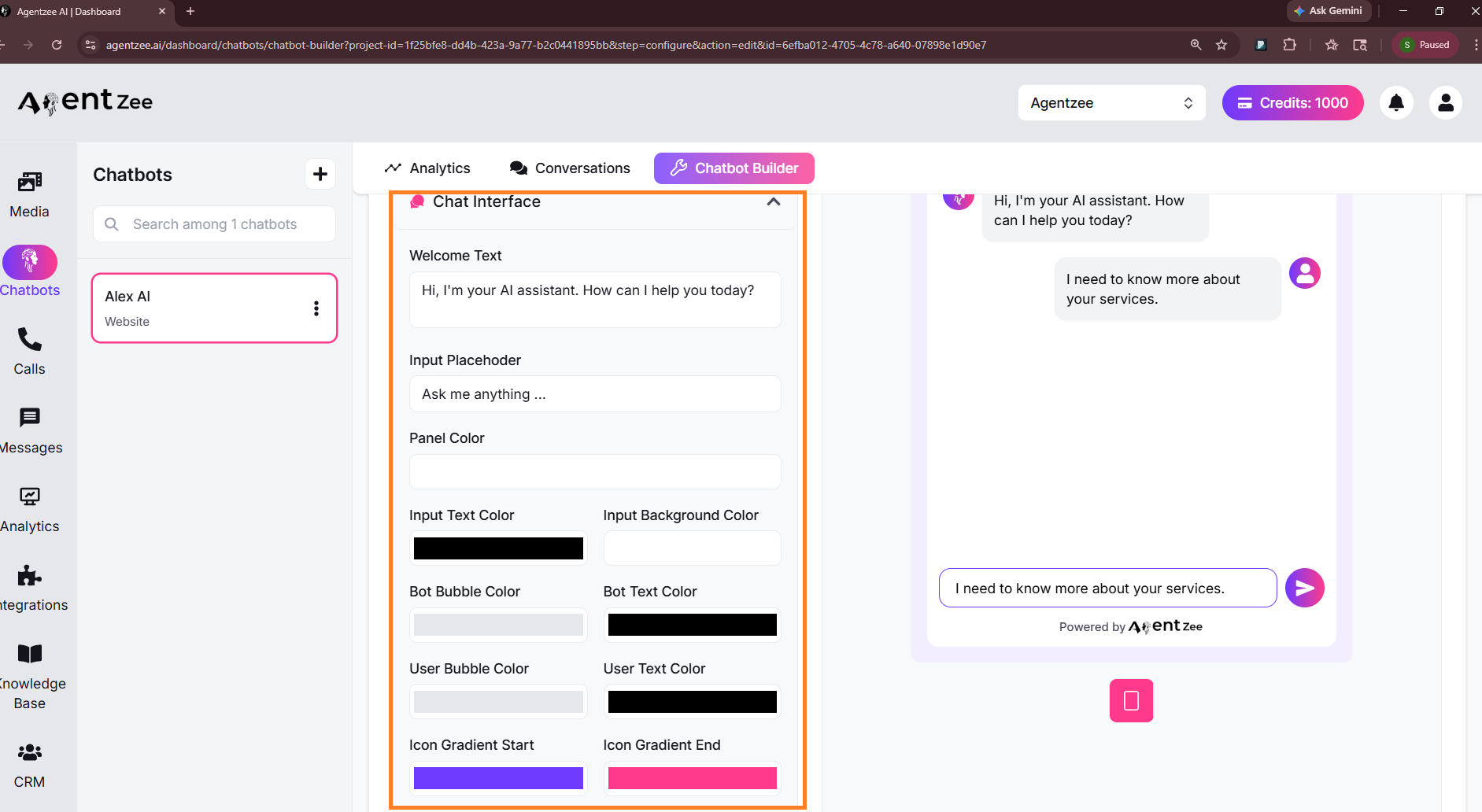
Step 6: Customise Chat interface
Here you can customise all text colours, background colours, and icon colours. A welcome text is also customizable. Based on your website, you can add products.
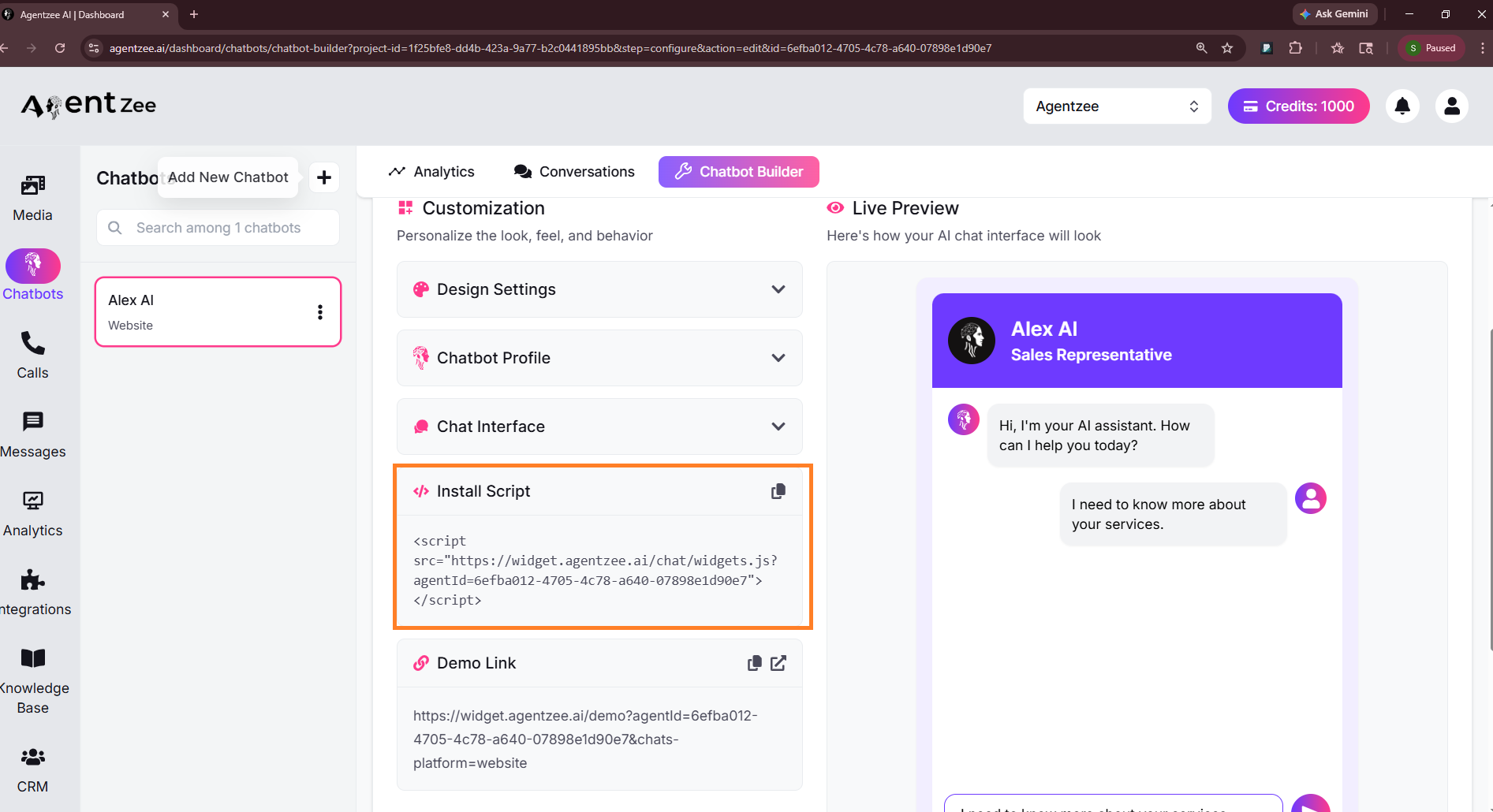
Step 7: In the front-end code, copy and paste the script
React.js - add it in the index.html file and inside the header tag
Next.js - add it to the _document.js or layout.js file
Plain HTML - paste it inside the <head> tag of every page where the chatbot should appear
WordPress - add it to the header with a header-and-footer code plugin, or in your theme’s header.php file
Shopify - go to Online Store → Themes → Edit code, open theme.liquid and paste it inside the <head> tag
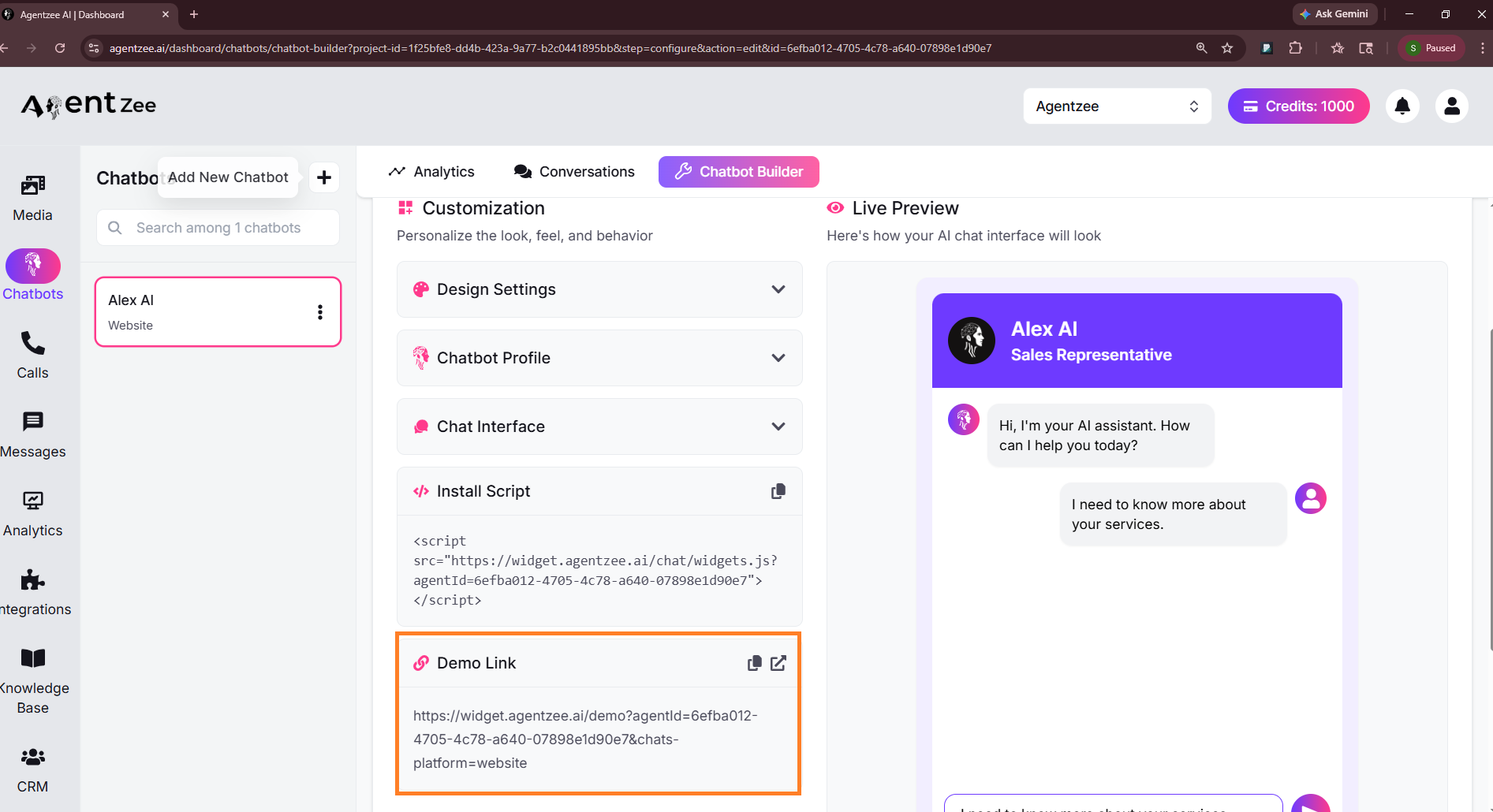
Step 8: You can test it by using the demo link provided on our website
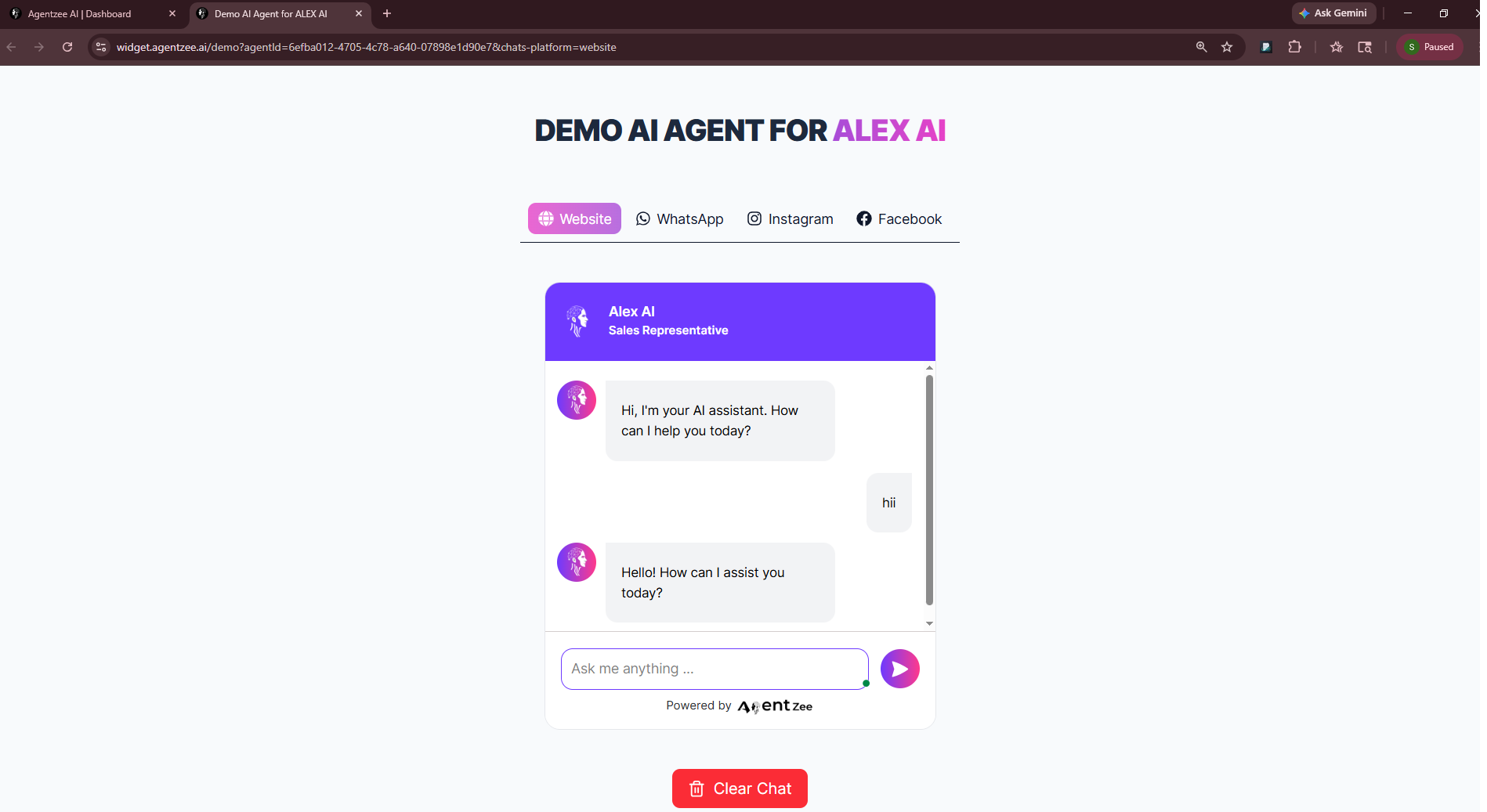
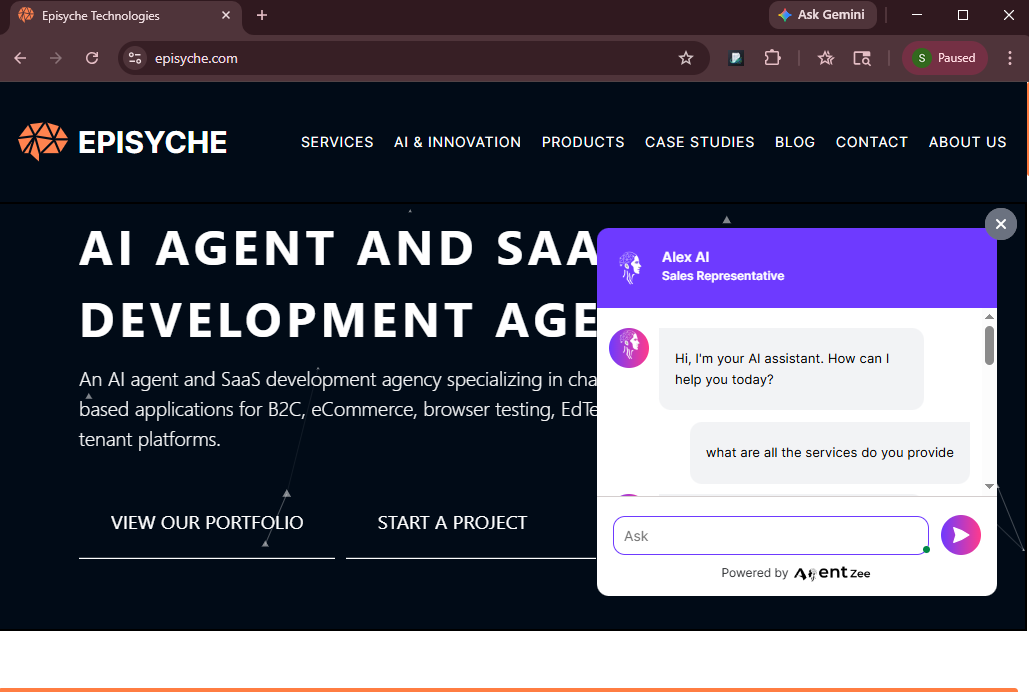
Finally, the chatbot was added to your website. Here, we add Agentzee’s website AI chatbot to our website. You can check there also.
Conclusion
An important point is always what happens after a visitor lands on your website. Implementing a website AI chatbot for your website doesn’t require six months of hard work. With the help of Agentzee, you can create it within a day. No need for technical knowledge to create a bot.
All technical parts will be handled on our side. This AI chatbot for your business looks like a new team member who already knows your products, never takes a day off, and responds to visitors’ questions within a few seconds. And the gap between “getting traffic” and “generating revenue” is exactly where we need to build a chatbot.
To explore a website AI chatbot, visit our page.