
You didn’t step into real estate to spend your time replying to DMs.
And yet, here you are. It’s 8:50 AM on a Wednesday, and your Instagram page has just exploded overnight. A reel of the Las Vegas listing goes viral, and many local influencers pick it up. The comments are pouring in. And your DM inbox? 260 unread messages and counting.
Situations like this are what the Instagram AI chatbot was built for.
Because your team wasn’t able to keep up.
Five agents. Two on client calls, one driving to a showing, one mid-listing presentation, and the final one handling the paperwork.
By afternoon, you managed to reply to 30 DMs, but still 230 DMs were sitting there and waiting for a reply. All of these DMs aren’t just enquiries. Some are pre-approved buyers who messaged at 7 AM, waited, got no reply by 12 PM, and booked a viewing from your competitor by 12:30 PM.
Every real estate business with a decent Instagram page knows this feeling. You consistently post engaging content, attract interest, and enquiries start to pour in, but your business strategy isn’t built to handle the scale.
The real problem: Your agents scale predictably, but your DMs don’t
Real estate markets across the USA are growing fast. In San Francisco, a listing can attract serious buyer interest within hours of posting the content. In California, main places like Los Angeles, San Diego, and Sacramento are hot-selling listing cities. There’s a constant demand for a new inventory, and the competition between agencies is brutal. In Austin, Miami, and New York, it’s the same story. Buyers scroll Instagram at 6 AM. They sent a DM at 7 AM and expect a reply before they finish their coffee.
A good real estate agent can handle 20 to 30 meaningful conversations on a good day without paperwork, no-shows, and no coffee break at 10 AM.
One semi-viral reel. One listing at the right moment. One repost from the trusted account. And suddenly, hundreds of messages flood in overnight. In high-demand markets like San Francisco and the California coast, a new list can open the floodgates for DMs to pour in continuously.
The people messaging you aren’t all serious buyers, but some of them are in that cluster of DMs. The problem is, you can’t spot them without engaging in a conversation.
So, the lead slips up. Response time stretches to hours or days. The Instagram algorithm quietly deprecates your account because of a lack of engagement. And those serious 7 AM buyers? Already booked with the competitor who replied first.
And you don’t even realise that your competitor is using an Instagram AI chatbot for instant replies.
The solution: Instagram AI chatbot handles almost every conversation automatically on its own
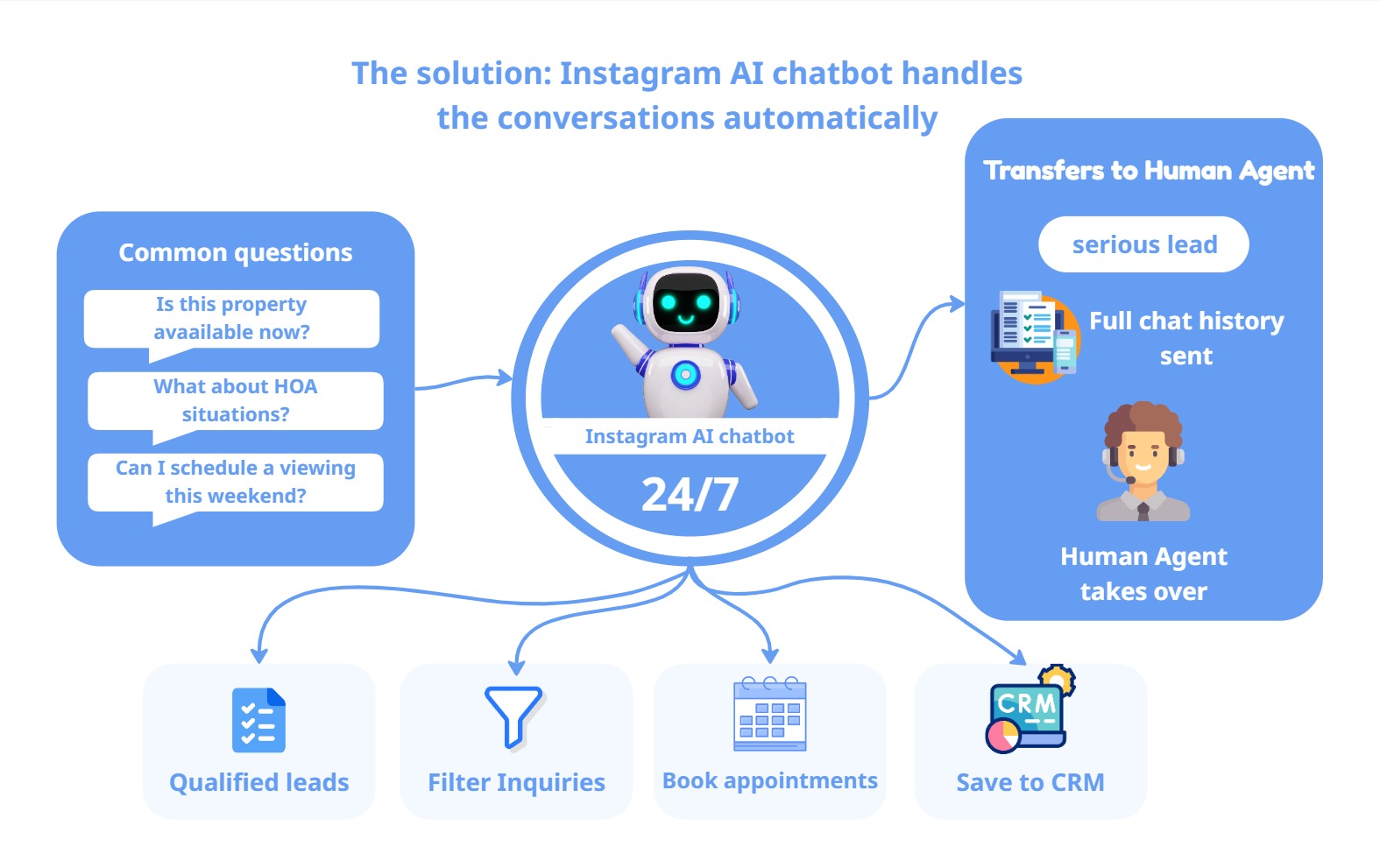
An Instagram AI chatbot doesn’t replace your agents. It handles the part of the conversation that mostly involves repeated questions across the DMs, like
Is this listing property available right now?
What about HOA situations?
Can I schedule a viewing this weekend?
Your agents don’t need to answer those questions hundreds of times in a day. An Instagram AI chatbot handles the volume 24*7 across the DMs simultaneously, while your human agents handle the work that actually requires human attention.
The AI chatbot also takes care of qualifying the leads in real time, automatically separates serious buyers from the casual enquiries, and stores high-intent leads directly in your CRM. It helps to book appointments automatically. And when someone genuinely needs a human, the AI chatbot transfers the conversation to the available human agent.
By sending the full conversation to the human agent, there’s no need for the customer to repeat anything. Your agent picks up exactly where the bot left off.
Done right, your Instagram page becomes a lead generation and triage system that runs whether or not anyone on your team is online.
Here’s the step-by-step guide to build the Instagram AI chatbot for Real Estate
Step 1: Set up your developer account and connect with the Instagram page
Before your Instagram AI chatbot takes over your DMs, you need API access. Go to developers.facebook.com, create your developer account, and register a business app. Your Instagram page needs to be a business or professional account, linked to the Facebook page. If it’s not, switch type first.
Enable the Instagram_manage_messages permission.
This is the legal and basic technical foundation for our AI chatbot to read or respond to messages.
Don’t Miss This: Personal Instagram accounts are not granted access to the APIs. If your agency is still running on a personal account, switch to a business account before anything else.
Step 2: Understand which Instagram APIs you’re actually using
Not all the Instagram APIs do the same work. Before you build anything, you need to know which endpoints your Instagram AI chatbot will call and why.
Here’s the official Instagram API docs for your reference: (https://developers.facebook.com/docs/messenger-platform/instagram/)
Here’s a similar list for the real estate Instagram AI chatbot:
Instagram Messaging API: This is the core of your Instagram AI chatbot. It gives programmatic access to read DMs, send replies, and manage conversation threads. Every message your chatbot sends and receives through this API. You’ll need the Instagram_manage_messages permission and a verified business account linked with the Facebook page.
Webhooks for Instagram: The message API doesn’t check for new messages. It pushes them directly to you. Webhooks are the ones that transfer real time data when a new message is received. Subscribe specifically to the messages and messaging_postbacks webhook fields.
Instagram Graph API: This handles everything outside of messaging, like reading profile data, fetching media objects, and checking comments. For a real estate chatbot, this Instagram graph ApI is used to pull your latest posts and reels so that our AI chatbot can reference the active listing using live data.
Human Agent Tag API: This is one API that most Instagram AI chatbots miss. Instagram only allows automated responses within a 24-hour window after a user messages you. If you want your AI chatbot to respond beyond that window or to pass a conversation to a human agent after the window closes, you need to request human_agent tag permission separately. For real estate, where leads may go quiet for more than a day, this permission is important.
Don’t Miss This: Meta’s API permission goes through an APP review phase. Some permissions, like Instagram_manage_messages, require proper documentation and screen recording of your chatbot.
Step 3: Build the knowledge base modules your chatbot needs
Your Instagram AI chatbot will respond based on the knowledge base you feed it. The Knowledge base isn’t a single upload format. It contains four modules, each handling a different format of your business data.
Here is each module’s format:
Module 1 - Website crawl: The Knowledge Base’s core feature is this base module, which aggregates and stores various web page types (such as Home, About, Products, Listings, FAQs, and Contact Information) from your website. A headless browser should be used to crawl websites built with React or next.js, as opposed to a basic API-driven method of getting the information from each page.
Module 2 - PDF Extraction: All of the information, like Property brochures, documentation, pricing details, and property listings, is in a PDF format. So, build a PDF parsing module that extracts clean text from the PDF files and feeds it into the knowledge base.
Module 3 - Excel sheet: Your property inventory is almost certainly in a spreadsheet. where you calculated prices based on square footage, property size measures, and Zip code. Build an Excel ingestion module that maps each column header to a structured data field your AI chatbot can query directly.
Module 4 - Word Document: Agency guidelines, FAQ documents, intake forms, brand identity documents, and defined chatbot tone and conversation flows. Build a Word processing module that pulls this content in and uses it to shape how your AI chatbot responds. This is what makes the bot sound like your agency instead of a generic help desk.
Don’t Miss This: This is a living knowledge base, not a one-time setup. Any updates to pricing, listings, or policies need to be updated across modules.
Step 4: Define how the Instagram AI chatbot makes conversations
Your Instagram AI chatbot needs to sound like your brand voice, not just a list of FAQs, but an actual person’s tone, a rhythm, and clear decision-making for different types of messages.
For a US-based real estate company, that usually means: warm, clear, professional, responsive, without sounding like it was read from somewhere.
Write this out into your system prompt so the AI chatbot knows how to respond effectively. Write clear instructions in the system prompt to handle different types of questions. Then, add a lead qualification flow with 4 to 5 questions that help to identify lead intent and quality.
Which properties from the listings are you interested in?
What are your preferred locations to buy a property?
What’s your approximate budget?
Are you planning to buy with finance or cash?
What’s your timeline to buy a property?
These questions should be asked naturally within the flow of the conversation.
Step 5: Create handoff logic and lead scoring
After the qualification flow, your AI chatbot has enough data to make a decision. Add some logic like:
Qualified lead: Answered each qualifying question clearly and has a real intent to buy. Tag them in the CRM and push the conversation towards booking
Nurture lead: Responds with unclear answers, but shows the intent to buy in the near future. Tag for a 2 to 3-time follow-up cycle to move them towards booking.
Not a lead: Not showing a real intent to purchase. Interested in pricing information.
Human handoff has two modes:
Scheduled handoff: when a client wants to speak to a specific agent. The AI chatbot checks the agent’s availability in the integrated calendar, offers available time slots, and confirms the appointment.
Urgent handoff: When the client says, “I need to speak to an agent on the phone urgently,” or “I need to discuss an important decision with an agent.” The AI chatbot automatically detects intent and triggers a live transfer to the available agents in real time.
No context lost. There is no need for the customer to repeat anything. The agent already knows who they are talking to and what they are up to.
Step 6: Use an MCP to automate the appointment bookings
Most Instagram AI chatbots don’t automate the bookings. The client asks for availability, then a human manually checks the schedule and sends the confirmation, which isn’t real automation.
The real fix is the Model Context Protocol (MCP), a framework that lets your AI chatbot use external tools in real time. Once MCP is configured, the AI chatbot can:
Check agents’ availability in real time and offer the open time slots.
Once a slot is selected, it books the appointment instantly.
Sends instant confirmation to both the client and the agents.
Automatically update your CRM with the appointment details.
A client asks for a Thursday 2 PM slot. The AI chatbot quickly checks availability and secures the booking.
The honest admission
This setup won’t fit every real estate conversation. A buyer facing a divorce. An investor with very specific off-market criteria. Someone buying their first property may feel uncertain and anxious, and needs reassurance from a real agent.
The Instagram AI chatbot automatically identifies those signals and transfers to a human agent immediately without trying to handle something it shouldn’t.
The goal isn’t to remove humans from real estate. It’s to make sure humans are only doing the work that genuinely requires them.
Why most Real Estate teams can’t pull this off alone
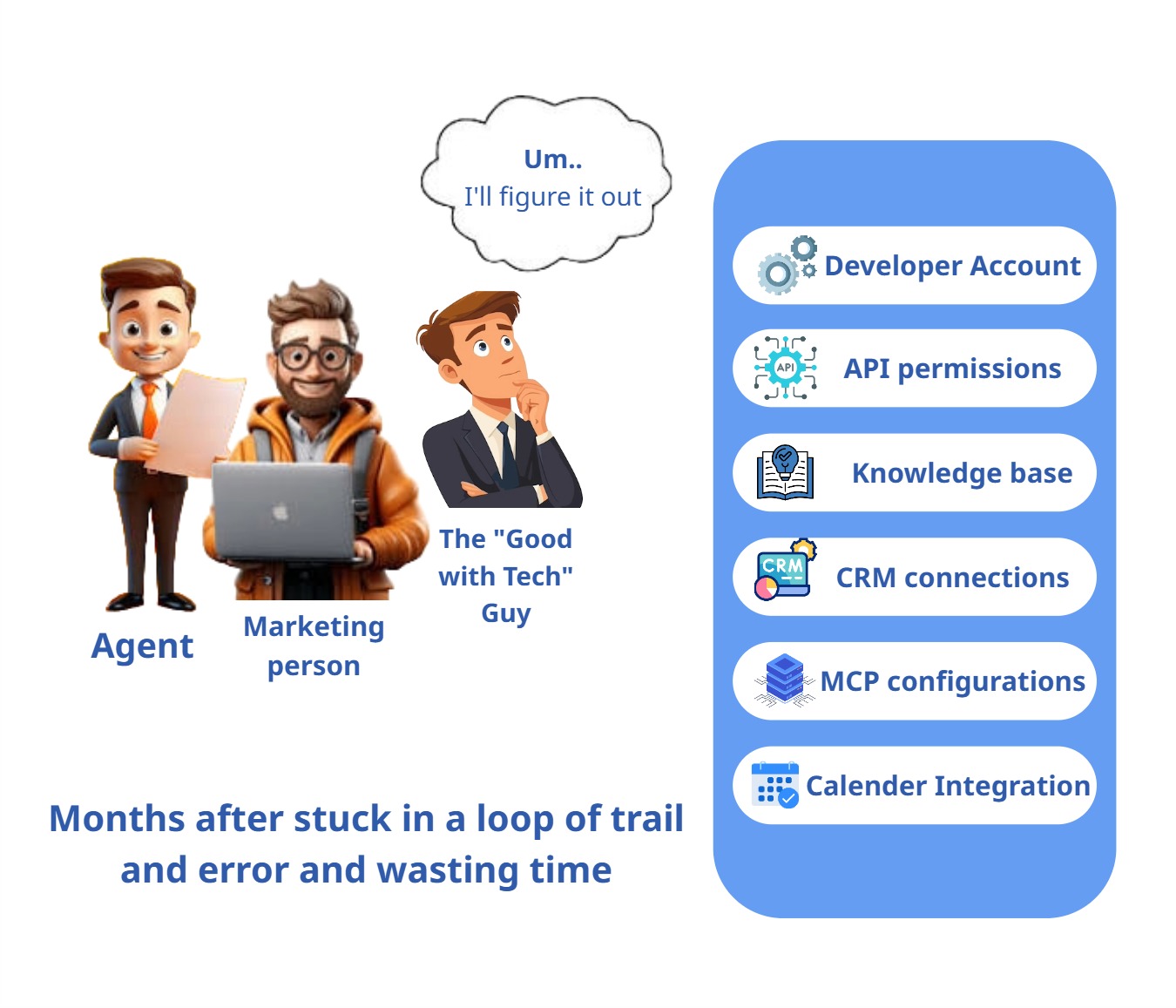
Everything in the steps above works. The challenge is that pulling it together, developer accounts, API permissions, knowledge base setup, CRM connections, MCP configuration, and calendar integrations takes technical depth that most real estate agencies don’t have in-house.
They have agents. A marketing person. Maybe one person who’s “good with tech” and gets voluntold for every software project.
That’s where the build falls apart. Not because the technology is hard. Assembling it from scratch without a dedicated engineering team takes months and a lot of trial and error.
How Agentzee significantly reduces that timeline
Agentzee is built for teams that want an Instagram AI chatbot without spending six months developing it from scratch.
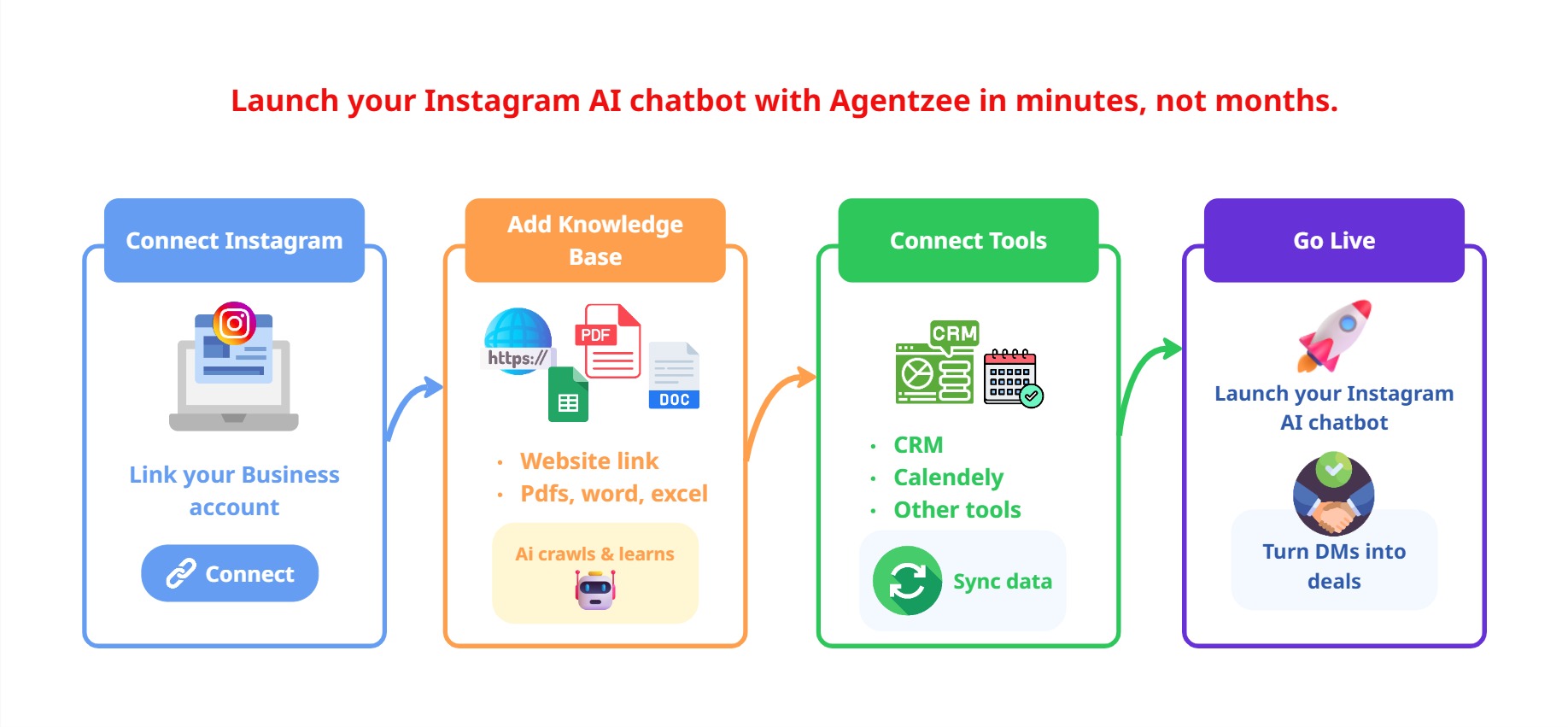
Here’s how simple it is to set up on this platform:
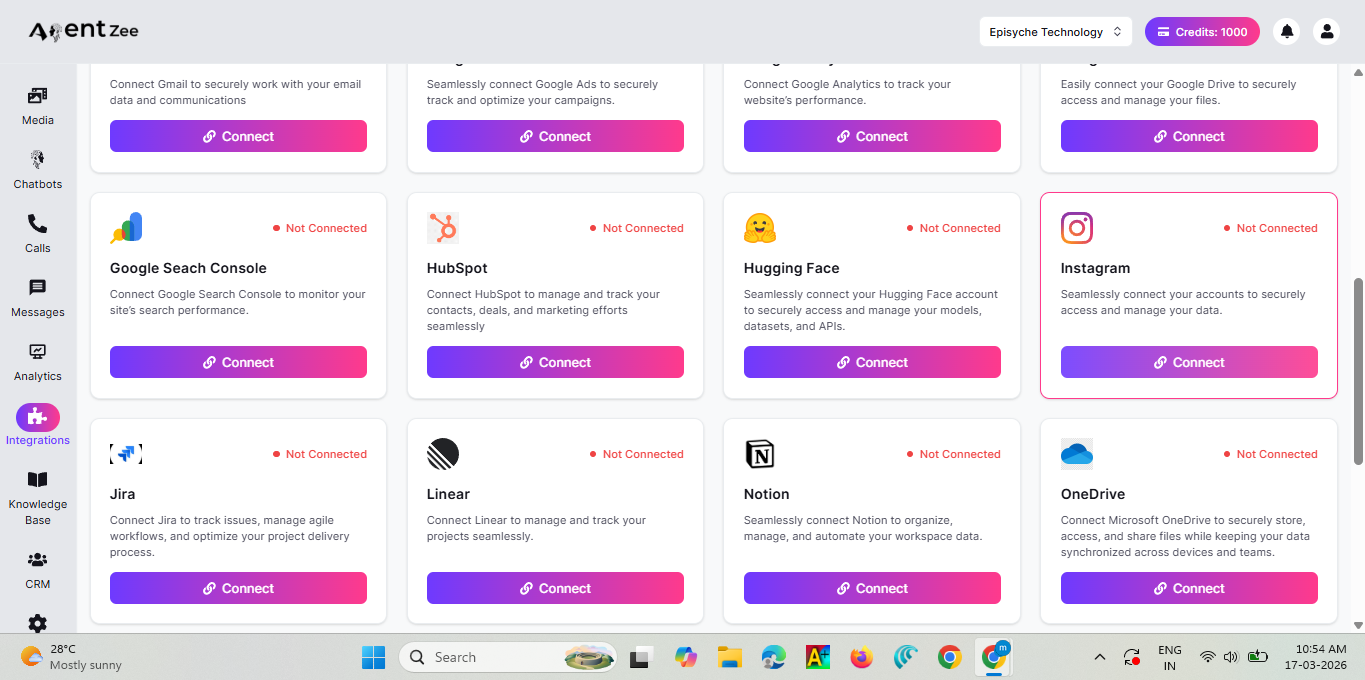
Connect your Instagram:
Link your Instagram business account directly with Agentzee.
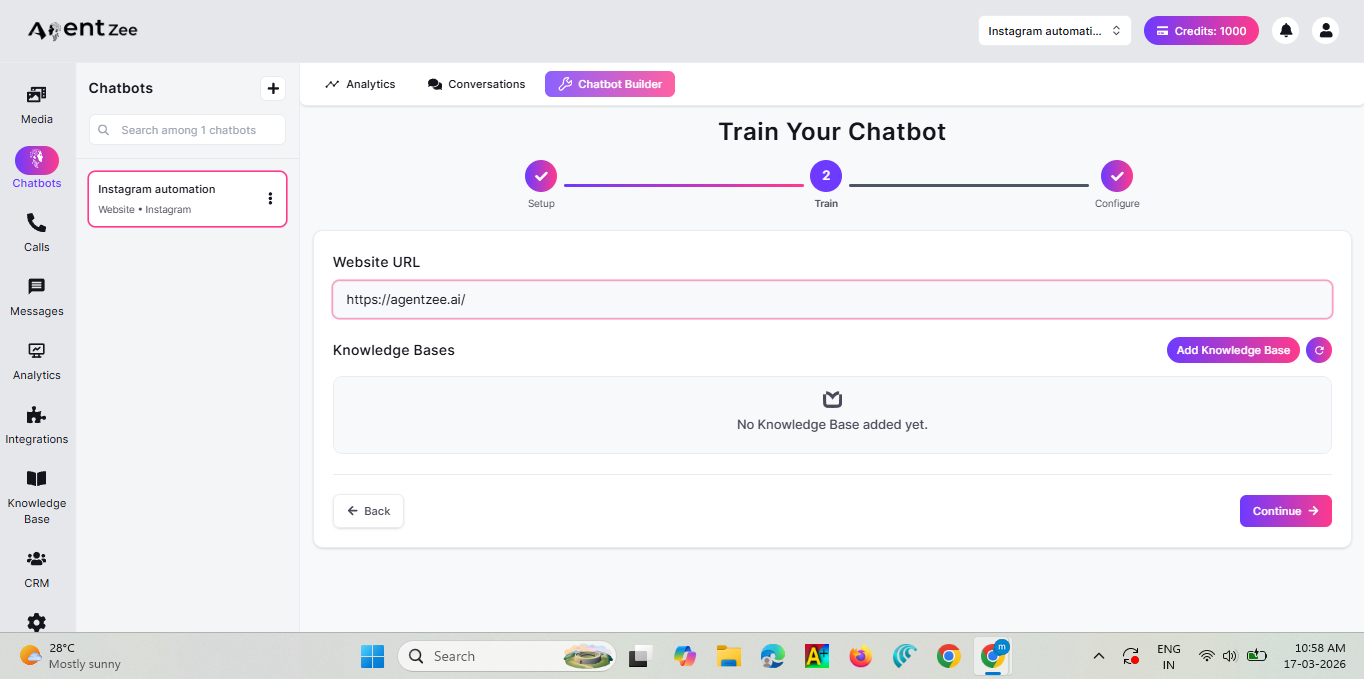
Add your Knowledge base:
Paste in your website link. Agentzee instantly crawls your site and builds out a solid foundation of knowledge. Additionally, you can upload PDFs, Excel sheets, and Word files. The Instagram AI chatbot reads it all and genuinely learns your specific listings, your sales process, and your exact brand voice.
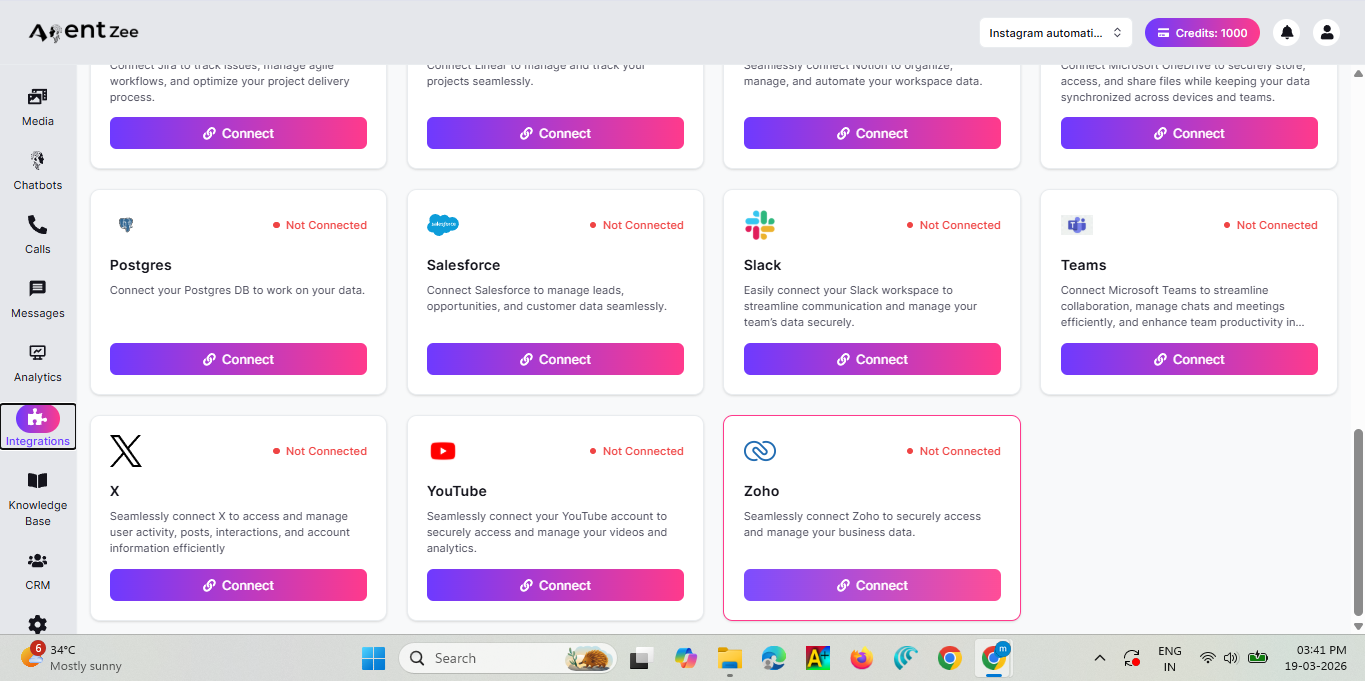
Connect with tools:
With the integration dashboard, you can connect other external sources, such as Zoho CRM or Calendly, so that your Instagram-based AI chatbot can accept bookings and save information about customers automatically and immediately upon sending a message via Instagram DM.
Go live:
Once live, your Instagram AI chatbot will takes care of instant DM responses, automate bookings, hand off to a human agent when needed, and store client information in your CRM.
No custom code. No headache. No debugging. Just result.
Conclusion
Your Instagram page is already doing the heavy lifting by attracting client interests. They’re already making the first move by messaging you, so that’s not a problem. The real problem is whether they’re converted into leads or sit unanswered in your DMs until they’re gone.
An Instagram AI chatbot doesn’t change your business process. Instead, it accelerates it with speed and consistency. Your leads get instant replies within a few seconds instead of hours. Identified the qualified leads and booked the appointment automatically. And when an agent steps in, they do not need to start again from scratch because they already have the full conversation context.
A reel goes viral and gets 90,000 views, but it doesn’t mean your 260 DMs should go unanswered.
It can mean 260 conversations started, 90 qualified leads are filtered, 30 viewings are booked automatically, and your agent is showing up to qualified leads with all the information, like their name, budget, timeline, and location.
Agentzee brings your Instagram AI chatbot to life without complex development, permission delays, or the nightmare of building it from scratch. Connect your Instagram business account, provide your knowledge base data, and start turning your DMs into deals.
Please check out our product