
Meet Sanaa, an AI influencer created for a skincare brand on Instagram, one business launching their product, posts regularly, and engages with the audience. But influence is expensive, charging 3000 per month to manage their Instagram influence.
The influence never asks for a boost. Never gets unhealthy. Never posts a drunk story at 2 AM. Never ghosts you two days before a movement deadline.
That influencer? Completely AI-generated. And the agency running them? Could be you.
If the brand creates its own influence, one that never misses a post, always matches the brand identity, and can generate content every day, then it is a strong influence.
This isn’t imagination anymore. It’s 2026, and the Instagram AI tool ecosystem has grown enough that a solo founder with the right setup can run what looks like a full influencer agency without a single human. Here’s how to actually build it. Four different ways, depending on how technical you’re feeling today.
A traditional influencer agency is expensive.
Here is what the traditional influence agency is,
Sanaa journeys virtually, posts lifestyle content, and reviews skincare products. Generate the image, caption, and story using the AI Tools. To followers, Sanaa looks like a real influencer, but in reality, behind the scenes, she is powered by AI automation.
After some days, Sanaa handed the 5 to 7 influence for her Instagram AI tool. Each one have a own primary set of mood, and they have their own term and period to post the content. One person is late on content release. Another person content with that much is not satisfied. And the third just posted something off-brand because they were bored on the weekend.
Meanwhile, the brand client is asking for engagement information.
And you’re doing this for maybe two or three clients simultaneously. It’s a lot. Truthfully, it’s a lot even for a team of seven individuals.
Content creation is slow and costly: shooting, editing, and permissions. It takes a day per post.
Influencers are surprising: they’re humans. That’s the whole issue.
Follower discussions: no one is reacting to DMs at 2 AM.
What if you could remove every single one of those problems earlier?
Build an AI Influencer by connecting an Instagram AI tool as a solution.
Without AI influence, is a term possible?
Yes, using this four-use case generator as an AI Influence for an Instagram AI tool.
By using the Instagram AI tool, companies can
Create an AI influence image and video
Generator captions and social media content
An Instagram AI chatbot tool that responds to DM, allows leads, and sends messages
An AI influencer is a made-up digital persona, a regular face, a name, a place, a character that exists completely in software. You create the visuals, you define the voice, and then you let the tools handle the remains.
Steps to create an AI Influencer using Instagram AI tools for beginners to builders.
This blog guides the generation of the AI influence image by using the 4 use cases of the Instagram AI tool.
Use Case 1: Create an AI Influencer identity using the Gemini model, with a Python script and a reference image.
Best for: Developers and technical founders who want full power via code.
Situation
You are managing the AI influence named “Sanaa” for a skincare product. You have to pass the reference image. By using that reference image, you need to generate the 10 posts within the week in the difference setting and moods like product close-up, morning routine, and outdoor lifestyle. Same face, different scenes.
You like to accomplish this programmatically so you can batch and automate later.
How It Works
The Gemini API takes both a text prompt and an image as input. You send Sanaa’s reference image along with a description of the new surroundings. The model generates a new image featuring the same face in that new context.
Step 1: Install the Gemini Packages
pip install google-generativeai pillowStep 2: Write the generation script
import google.generativeai as genai
import PIL.Image

genai.configure(api_key="YOUR_GEMINI_API_KEY")

# Load your reference image
reference_image = PIL.Image.open("influencer_reference.png")

# Initialize the model
model = genai.GenerativeModel("gemini-2.5-flash-image")

# Define the new scene
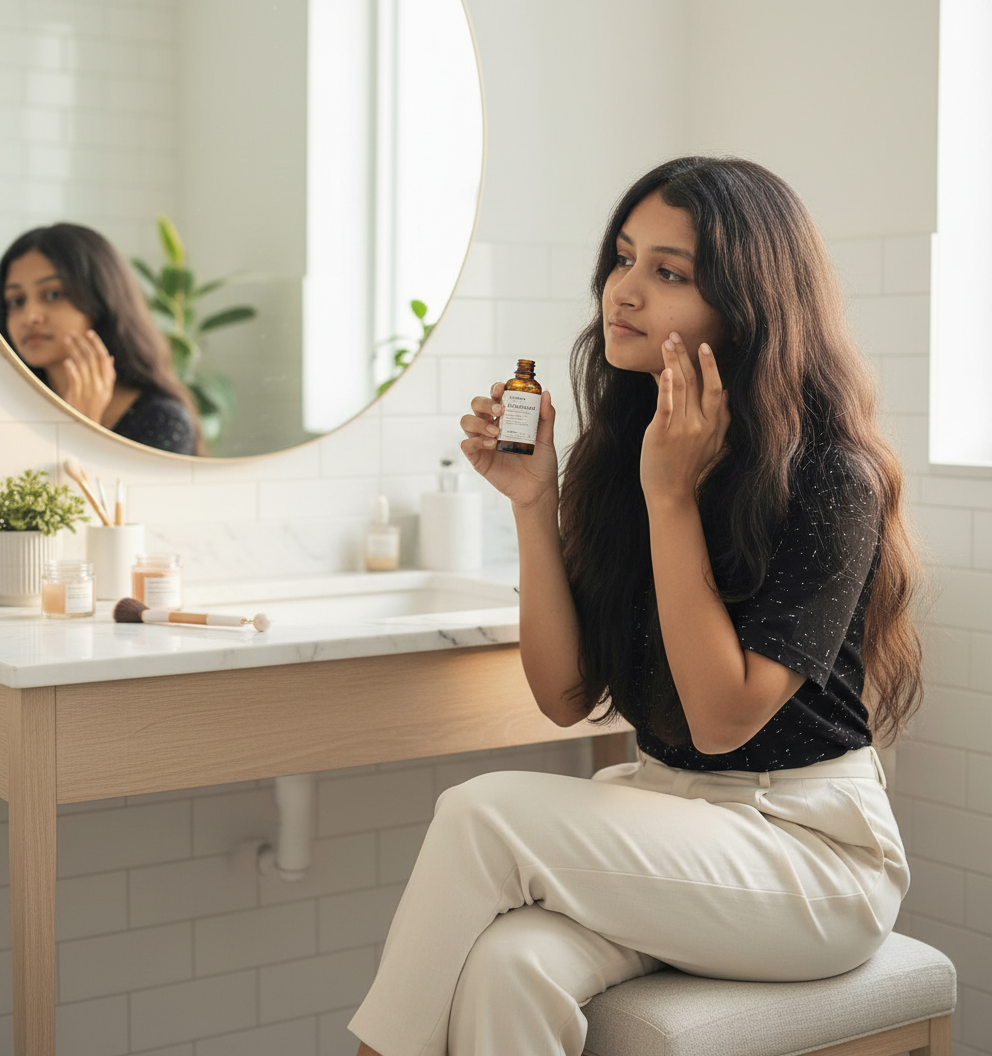
new_scene = """
Same person, same face, same hair as the reference image.
New scene: She is sitting at a vanity mirror, holding a vitamin C serum bottle and applying
it to her face. The setting is a bright, airy bathroom with,
soft morning light, minimal makeup, clean aesthetic.
Instagram post composition. Keep the face identical to the reference.
"""

# Generate
response = model.generate_content([reference_image, new_scene])

# Save the output
with open("sanaa_post_1.png", "wb") as f:
    f.write(response.candidates[0].content.parts[0].inline_data.data)

print("Image generated.")
After running this code, I got the AI influence image in different settings for different descriptions.
Sample reference input
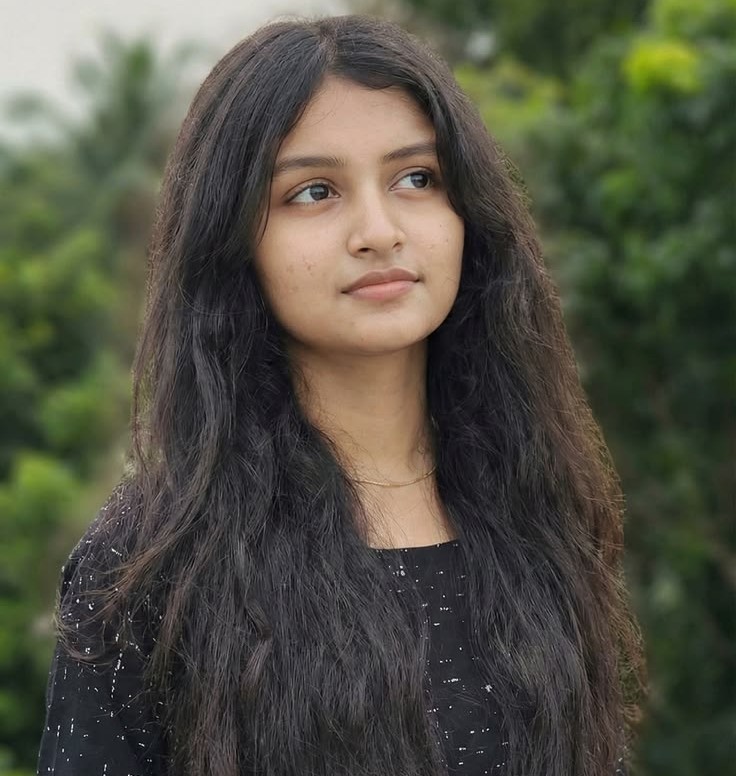
Step 3: For each post, change the setting (description).
You only need to modify this thing each time. The reference image stays the same. Just change the setting description. Run it. Get a new post from a different view.
Generator Image for AI Influence
Use Case 2: Generate AI Influencer content using Google Flow.
Best for: Other Tool owners and non-technical founders who want a high-quality visual output without composing a single line of code.
Situation
Same goal but using different use cases; for new content, Sanaa, you don’t want to open a code editor, you want to use the Google AI platform for drag and drop, where you upload the reference image of Sanaa with a description. What you want.
Google Flow https://labs.google/flow/about is a platform that allows Google AI creators to generate and edit video, animate images, and compose full short-form content from a browser.
Note: Google Flow includes a limited number of free credits, and paid Google AI plans add more. Plans and credit limits change often, so check the current pricing on the Flow website before you plan your output.
Step 1: Google Flow sign in
Go to sites and sign in to your Google account.
https://labs.google/flow/aboutStep 2: Upload Sanaa’s reference image
Tag the uploaded image as your nature reference so Flow understands this face needs to stay even.
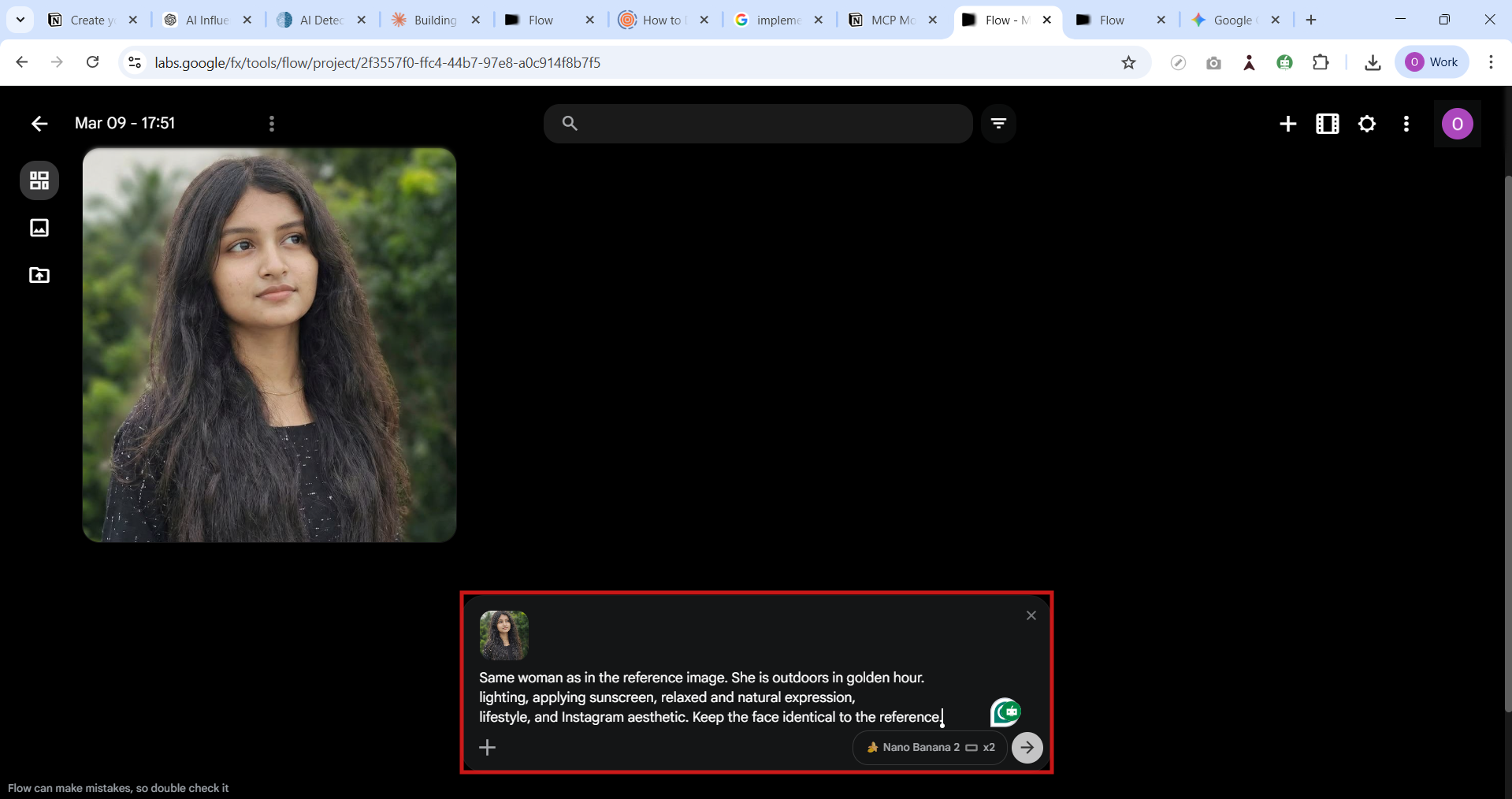
Step 3: Describe your new scene in the prompt
Same woman as in the reference image. She is outdoors in golden hour
lighting, applying sunscreen, relaxed and natural expression,
lifestyle Instagram aesthetic. Keep the face identical to reference.
Changing the description, you generate the image in different settings.
After signing in to the Google Flow Tool, continue to create a flow and give it a new project. Now, you see the Google Flow chatbot like this.
Step 4: Download and schedule
After generating the image, download the final image or video. Add caption. Post as an Instagram AI tool.
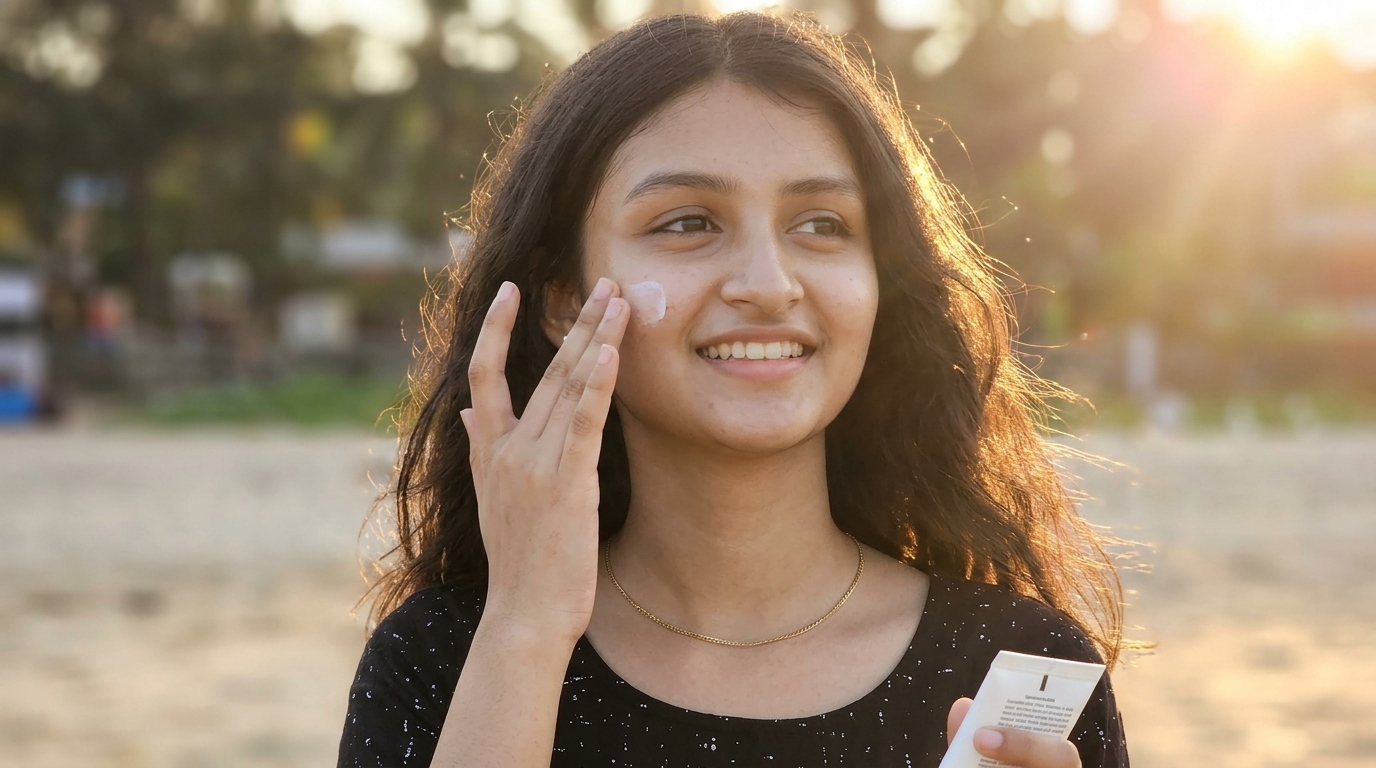
After generating the AI Influence through the Google Flow
Use Case 3: Create a full set of posts in the Gemini app (no code)
Best for: Non-technical inventors who manage the AI influencers.
How to work
Open the Gemini chatbot and click New chat. This chatbot is created to generate image text and creative content. If you upgrade the plan, a video is also generated. Now you are coming to AI Influence, First upload the Reference Image of the person you want to use in AI Influence and provide the detailed prompt clarifying the scene you want to see (User prompt). For Example
Sample User Prompt
Generate A photorealistic [Face Closeup shot] of [young adult woman in her twenties] extremely
different from the attached girl, but similar to facial features, set in London.
Captured with a [Sony camera/50 mm 1.5f lens bokeh effects blury background],
emphasizing pink color dress.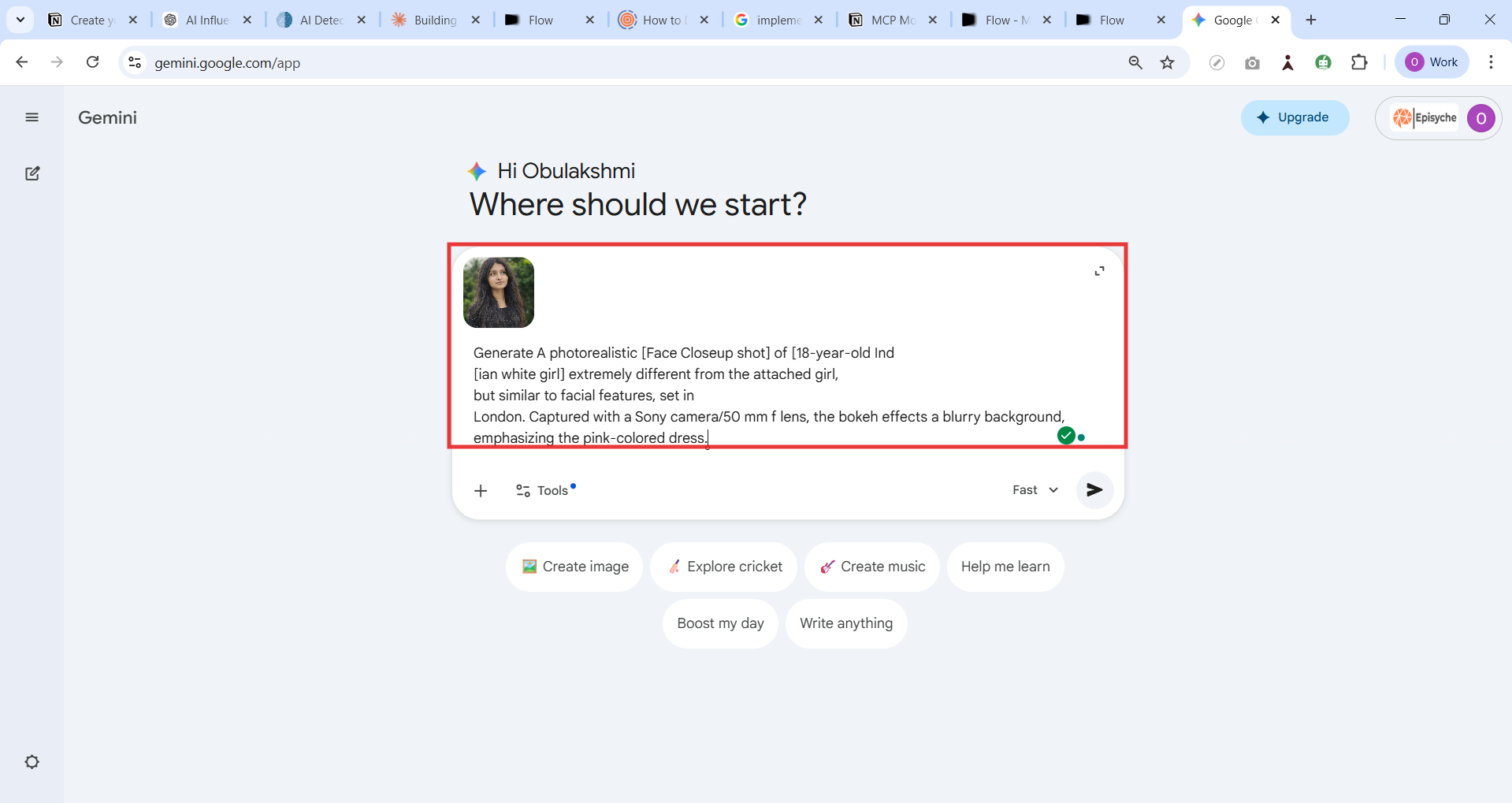
Generate the AI Influence image
Gemini will generate the AI Influence image as the requested scene while holding the face similar to the reference image. Repeat the content with different prompt lifestyle photos, nature scenes, and travel promotions. This Tool helps to create multiple Instagram posts.
At the same time, ask to generate the caption and hashtags for each generated image to make it content-ready for social media posting. Finally, download the generated image and take captions, then publish the content on the Instagram Platform.
Use Case 4: The done-for-you to use the Instagram AI Tool.
Best for: Every founder, technical or not. This is the layer that turns your AI influencer from a content creator into a revenue machine.
Situation
Your AI influencer Sanaa is posting three times a week. The product review content is landing well. Followers are growing.
And now the DMs are coming in.
“Hey, does this serum work for oily skin?”
“What is the discount code or coupon?”
“Is this available in India?”
That’s 120 DMs today. Tomorrow might be 250. No human team answers all of those. And the ones that go unanswered? Those are lost sales.
On top of that, 350 some members bought the serum through the Sanaa link last month. Their 30-day store is running low right now. If no one reaches out, they’ll forget to reorder. That’s regular earnings just peacefully disappearing.
This is exactly what Agentzee handles: the Instagram AI tool that manages every conversation for your AI influencer automatically.
Extra: How to improve AI-Influencer images into product reviews and Instagram posts.
Okay, we got the images. Now what? Just posting a pretty photo of your AI influencer holding a serum isn’t a product review. It’s a catalogue shot. Here’s how to turn it into content that actually drives trust, clicks, and sales.
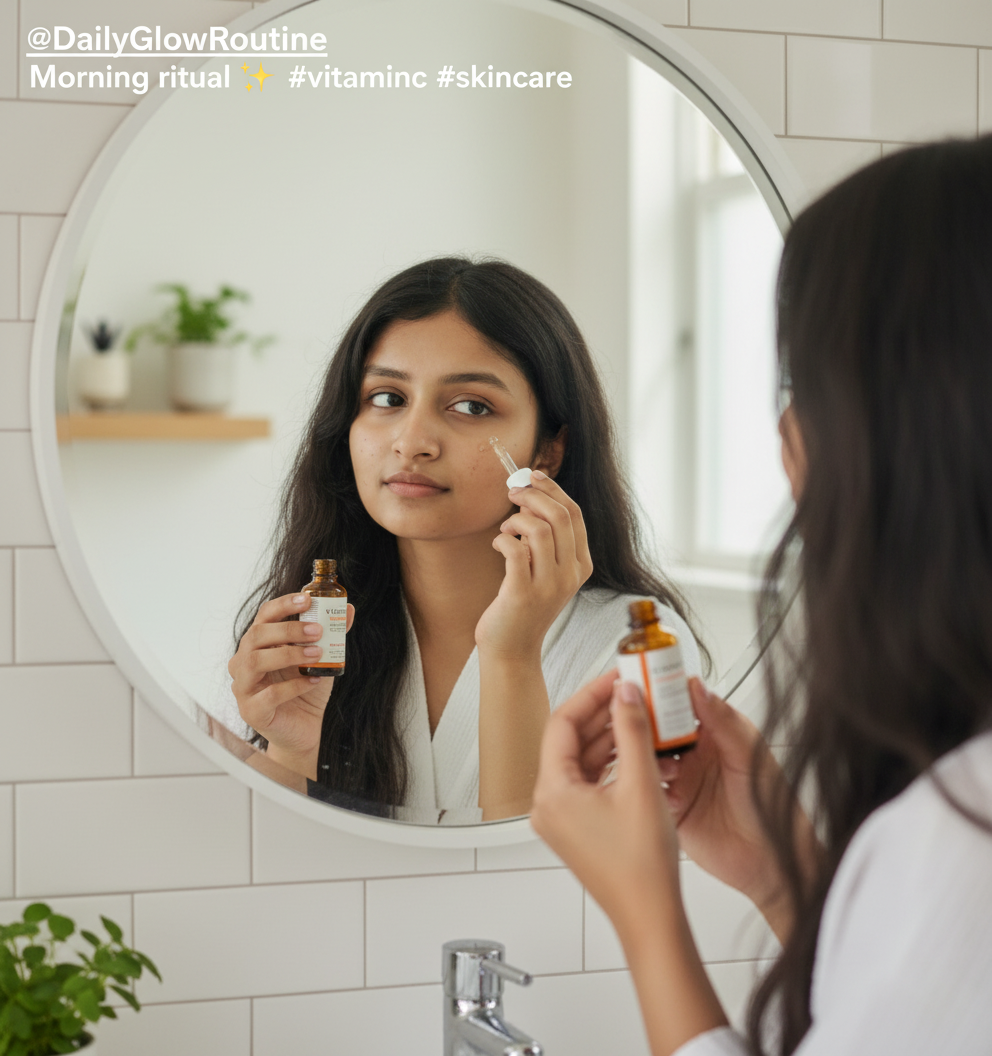
Idea to improve your product sales count
Idea 1: The “Before and After Story” Review
Idea 2: The “Honest Rating” Carousel Post
Idea 3: The “DM Me for the Link” Engagement Motivation
Pick your starting point:
Not technical → Start with Google Flow for content + Agentzee for DMs. You can run an AI influencer agency with zero code.
Technical → Start with the Gemini API and the Python pipeline. Automate the content. Then layer Agentzee on top for conversations.
Build yours. Everything you need is exactly here.
Conclusion
AI influencers are becoming a powerful tool for modern digital marketing. In this article, for creating the AI Influence brand. The AI Tool changes a brand’s visibility to create and share content on social media. With the help of the Instagram AI Tool, creators or businesses can design the virtual influence that generates images, cation nad markters the content automatically. By using technology like Gemini API, AI Image tool, and automation script, agencies can also manage multiple AI Influences at scale.
In this article, we explored four practical ways to create AI influencers using different Instagram AI tools. Developers can build automated influencer systems using the Python script with the Gemini model, and, with Google Flow, generate the AI Influence Image and create creative teams to generate engaging video content. For beginners, using the Gemini chatbot generated the AI Influence image and captions, also without a script. AI influencers will presumably play an important part in the future of social media commerce, marketing, and brand promotion.
This is exactly implemented in Agentzee to manage the Instagram AI tool for every conversation, and make your AI influencer automatically. Feel free to contact us.
If you need to generate an AI Influencer through the Agentzee platform, we have already implemented this workflow. To integrate our influencer agent into your existing business and improve efficiency and productivity.
Check out our product.